Thanks!
Thank you, Alex, for still supporting us.
sjcm94
August 28, 2025
|
1 reply
Thanks for great plugin.
Nice Tools
Anil Chandra Robidas
November 13, 2024
|
1 reply
Very, very, very happy with the results
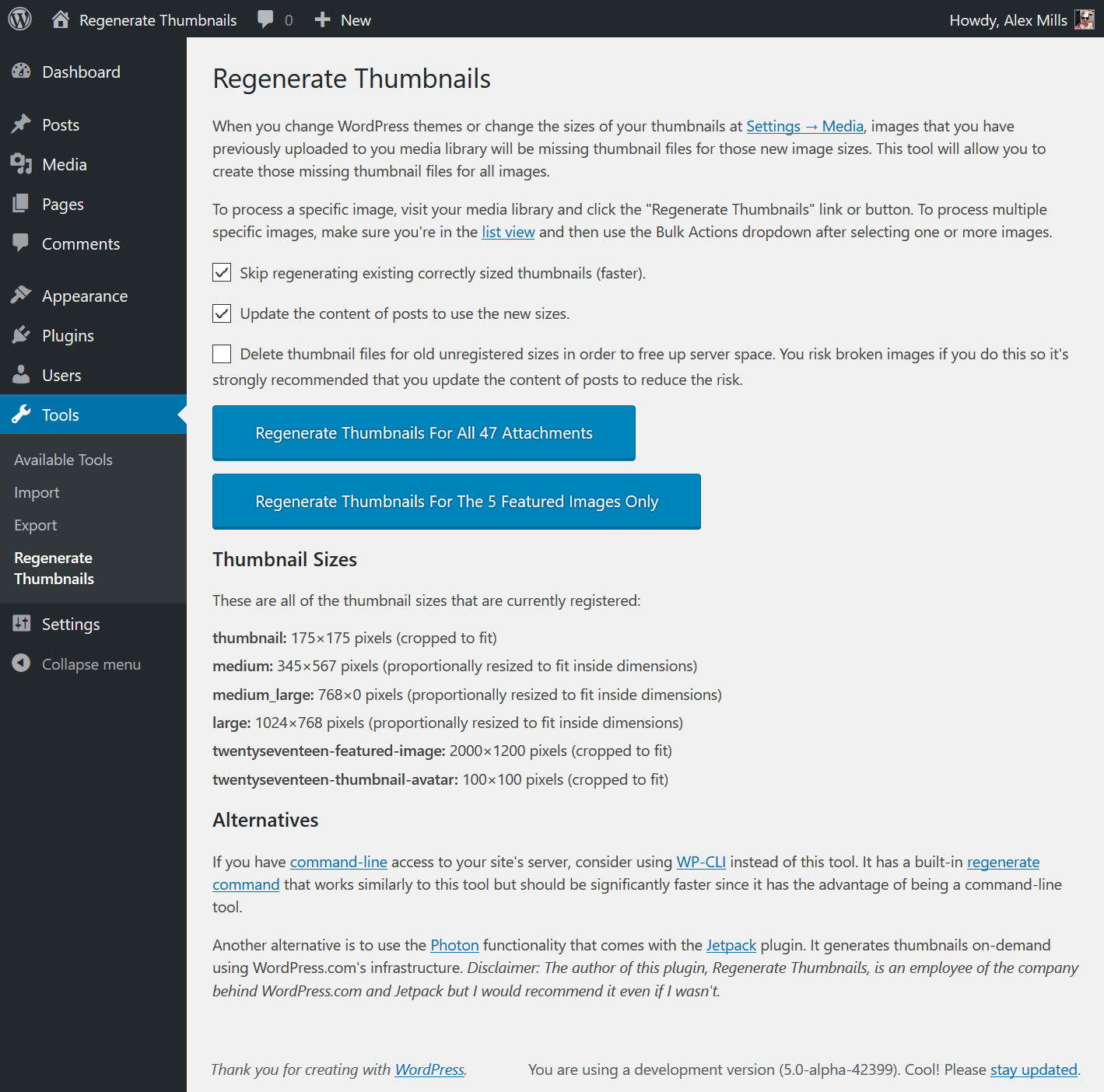
For layout and design purposes, I opted to increase the size of all my featured image thumbnails moving forward, but you guessed it, I still had to resize the previous photos. Well, this plugin handled it like a champ! Even removed the ones I wasn’t using any longer so I could free up some server space. Admittedly, I was a bit scared running this plugin for the first time, however, I made backup of my website files and database before doing so in the event sh!t went south. Not only did it resize them perfectly, it restored some thumbnails that were missing. Now all is awesome! Thanks for such a great plugin! I will use this exclusively in the future.
JHouse
October 28, 2025
|
1 reply
Very, very, very happy with the results
For layout and design purposes, I opted to increase the size of all my featured image thumbnails moving forward, but you guessed it, I still had to resize the previous photos. Well, this plugin handled it like a champ! Even removed the ones I wasn’t using any longer so I could free up some server space. Admittedly, I was a bit scared running this plugin for the first time, however, I made backup of my website files and database before doing so in the event sh!t went south. Not only did it resize them perfectly, it restored some thumbnails that were missing. Now all is awesome! Thanks for such a great plugin! I will use this exclusively in the future.
JHouse
October 28, 2025
|
1 reply
Screwed all the references to images in a Portrait orientation
Yea, That was stupid. Foolishly used this, still don’t know why. Screwed up all my references to images in a Portrait orientation. Luckily I was able to figure it out and with Better Search Replace was able to fix 326 instances of the wrong reference.
chrisdubea
September 5, 2025
|
1 reply
Thanks!
Thank you, Alex, for still supporting us.
sjcm94
August 28, 2025
|
1 reply
Very, very, very happy with the results
For layout and design purposes, I opted to increase the size of all my featured image thumbnails moving forward, but you guessed it, I still had to resize the previous photos. Well, this plugin handled it like a champ! Even removed the ones I wasn’t using any longer so I could free up some server space. Admittedly, I was a bit scared running this plugin for the first time, however, I made backup of my website files and database before doing so in the event sh!t went south. Not only did it resize them perfectly, it restored some thumbnails that were missing. Now all is awesome! Thanks for such a great plugin! I will use this exclusively in the future.
JHouse
October 28, 2025
|
1 reply
Thanks!
Thank you, Alex, for still supporting us.
sjcm94
August 28, 2025
|
1 reply
Works. Good info too
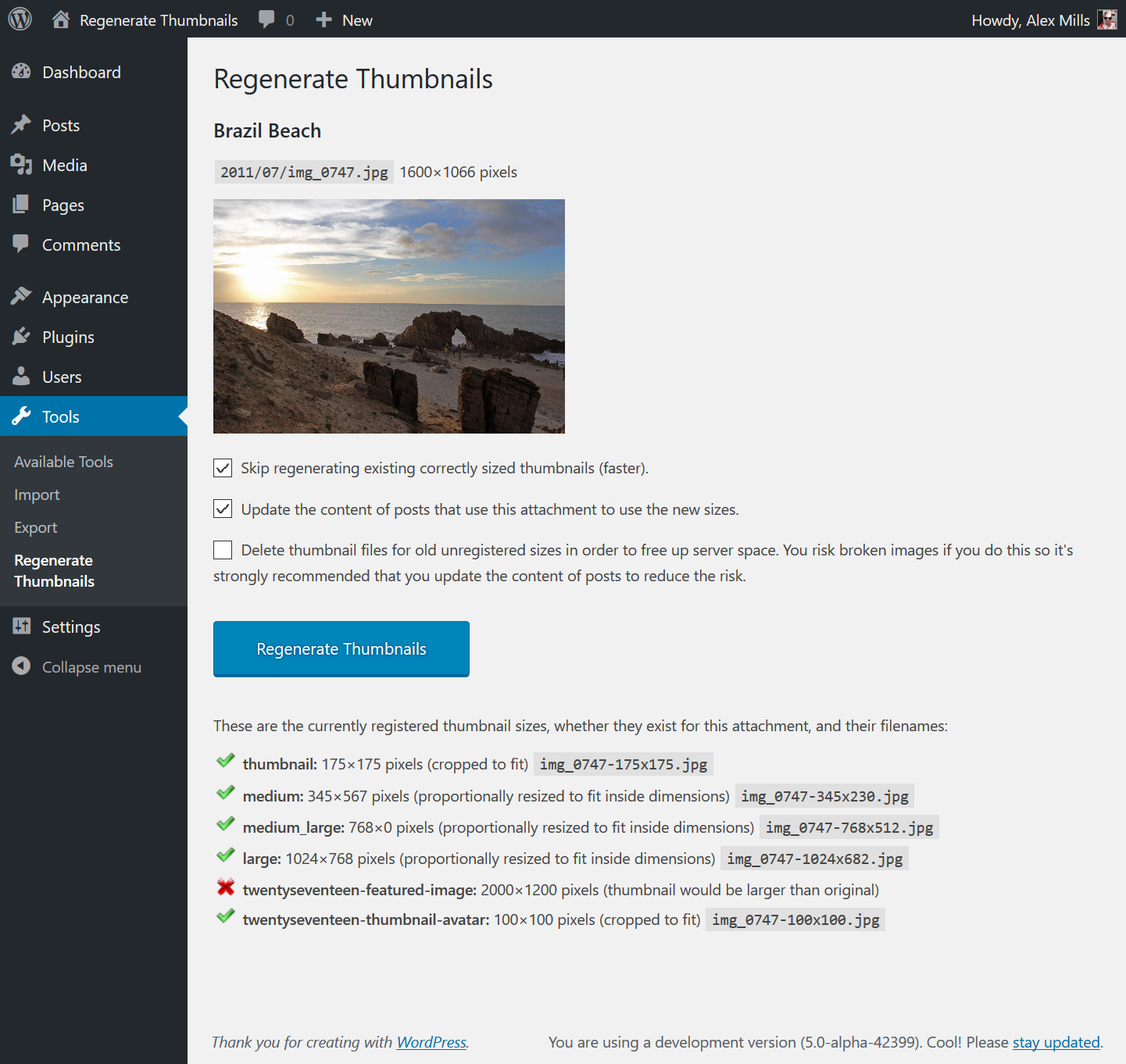
I really like this plug-in. I don’t need it very often but when I do it works great. For example when I changed the image size for my blog thumbnails and thought i would have a headache! It shows nice info about images and which sizes will be generated too. Useful. Thank you.
Screwed all the references to images in a Portrait orientation
Yea, That was stupid. Foolishly used this, still don’t know why. Screwed up all my references to images in a Portrait orientation. Luckily I was able to figure it out and with Better Search Replace was able to fix 326 instances of the wrong reference.
chrisdubea
September 5, 2025
|
1 reply
Doesn’t work well with -scaled images
Wordpress scales down very big images, adding a ‘full’ image with ‘-scaled’ suffix, and stores the original file and it’s name in the db. RT plugin however regens thumbails based on the ‘scaled’ image, so all the intermediate sizes are re-named. This can break images when combined with offloading etc. Unless I am missing something, this ‘-scaled’ resizing of big images is default wordpress functionality so the RT plugin should handle it properly by using the original image (using functions like wp_get_original_image_url, wp_get_original_image_path) etc, so as not to orphan a whole set of thumbnails, use the wrong full image and generate a new set of intermediate sizes. Eg:These are the currently registered thumbnail sizes, whether they exist for this attachment, and their filenames: thumbnail: 280×178 pixels (cropped to fit) 8C2A3575-scaled-280×178.jpg medium: 300×300 pixels (proportionally resized to fit inside dimensions) 8C2A3575-scaled-300×200.jpg medium_large: 0×0 pixels (thumbnail would be larger than original) large: 720×1200 pixels (proportionally resized to fit inside dimensions) 8C2A3575-scaled-720×480.jpg avatar: 180×180 pixels (cropped to fit) 8C2A3575-scaled-180×180.jpg 1536×1536: 1536×1536 pixels (proportionally resized to fit inside dimensions) 8C2A3575-scaled-1536×1024.jpg 2048×2048: 2048×2048 pixels (proportionally resized to fit inside dimensions) 8C2A3575-scaled-2048×1366.jpg featured-medium: 700×446 pixels (cropped to fit) 8C2A3575-scaled-700×446.jpg featured-large: 1398×1398 pixels (proportionally resized to fit inside dimensions) 8C2A3575-scaled-1398×932.jpg extra-large: 1598×1598 pixels (proportionally resized to fit inside dimensions) 8C2A3575-scaled-1598×1066.jpg The attachment says it also has these thumbnail sizes but they are no longer in use by WordPress. You can probably safely have this plugin delete them, especially if you have this plugin update any posts that make use of this attachment. medium (old): 300×200 pixels 8C2A3575-300×200.jpg large (old): 720×480 pixels 8C2A3575-720×480.jpg thumbnail (old): 280×178 pixels 8C2A3575-280×178.jpg avatar (old): 180×180 pixels 8C2A3575-180×180.jpg 1536×1536 (old): 1536×1024 pixels 8C2A3575-1536×1024.jpg 2048×2048 (old): 2048×1365 pixels 8C2A3575-2048×1365.jpg featured-medium (old): 700×446 pixels 8C2A3575-700×446.jpg featured-large (old): 1398×932 pixels 8C2A3575-1398×932.jpg extra-large (old): 1598×1065 pixels 8C2A3575-1598×1065.jpg cmplz_banner_image: 350×100 pixels 8C2A3575-350×100.jpg
Very, very, very happy with the results
For layout and design purposes, I opted to increase the size of all my featured image thumbnails moving forward, but you guessed it, I still had to resize the previous photos. Well, this plugin handled it like a champ! Even removed the ones I wasn’t using any longer so I could free up some server space. Admittedly, I was a bit scared running this plugin for the first time, however, I made backup of my website files and database before doing so in the event sh!t went south. Not only did it resize them perfectly, it restored some thumbnails that were missing. Now all is awesome! Thanks for such a great plugin! I will use this exclusively in the future.
JHouse
October 28, 2025
|
1 reply