




Intuitive Custom Post Order
By hijiri
Description
Easily reorder Posts, Pages, Custom Post Types, Taxonomies, and Sites using a simple drag-and-drop interface.
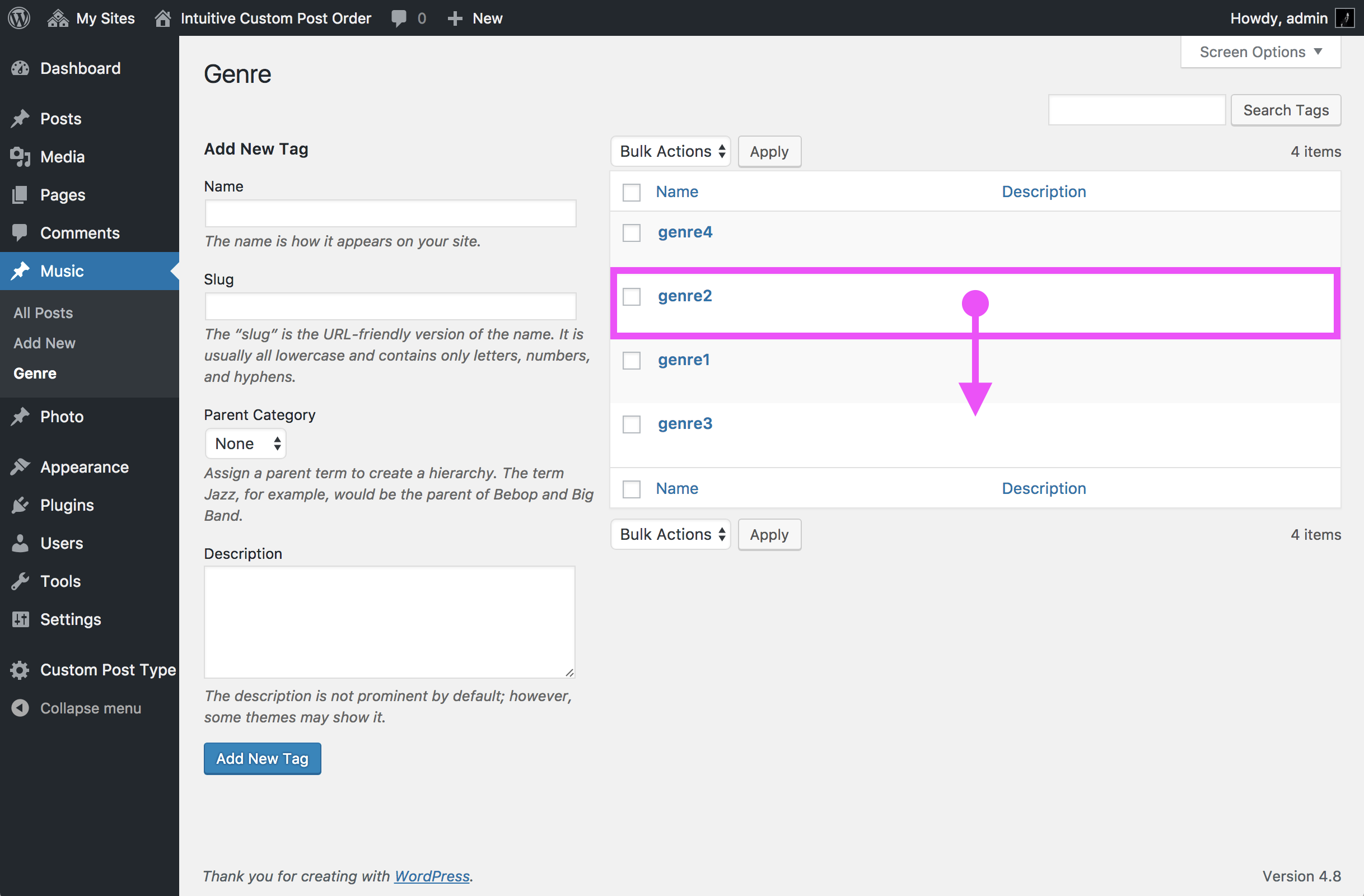
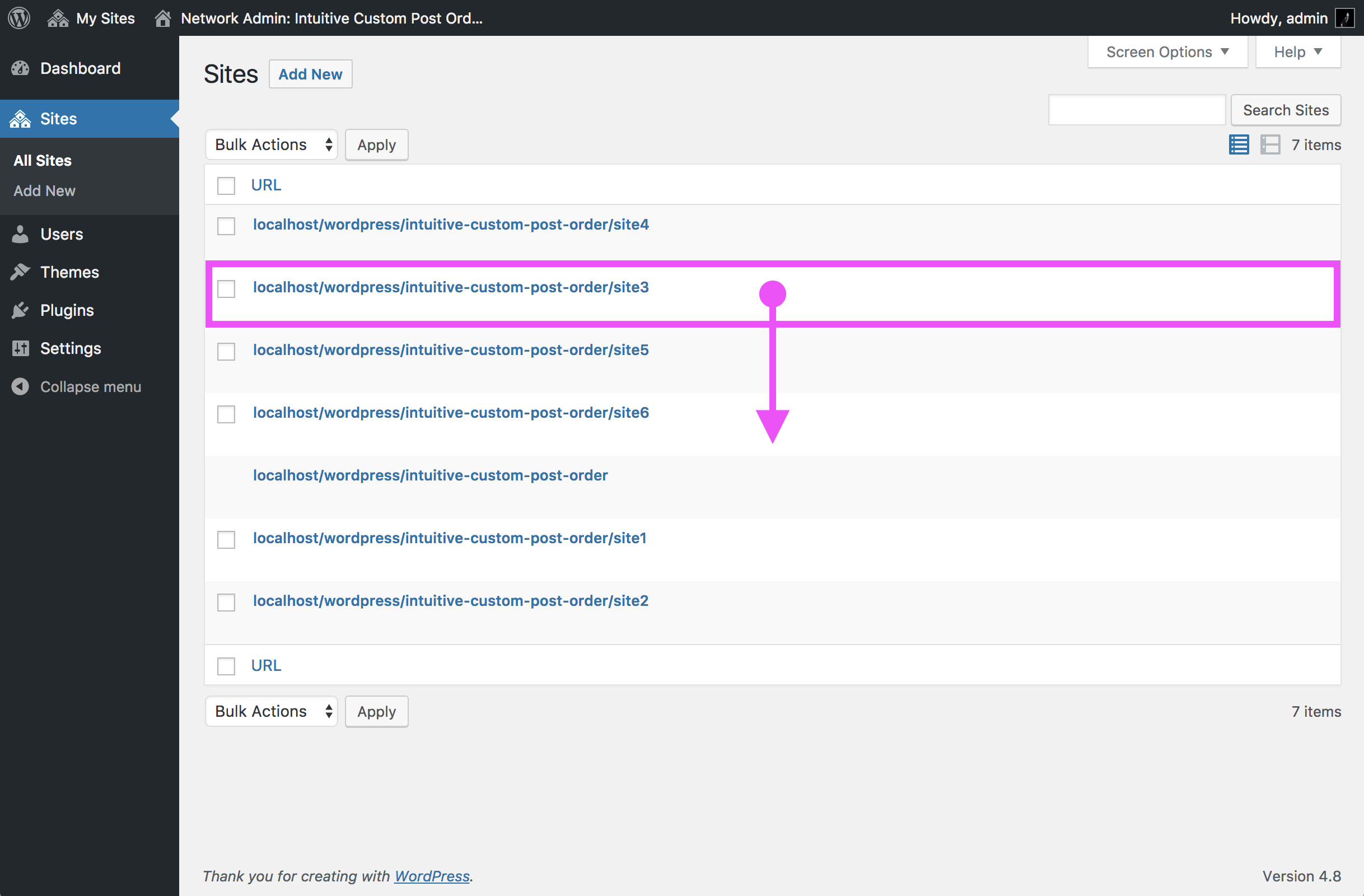
Intuitive Custom Post Order allows you to sort items effortlessly in the WordPress admin. You can manage the order of Posts, Pages, Custom Post Types, Taxonomies, and even Sites in a Multisite setup.
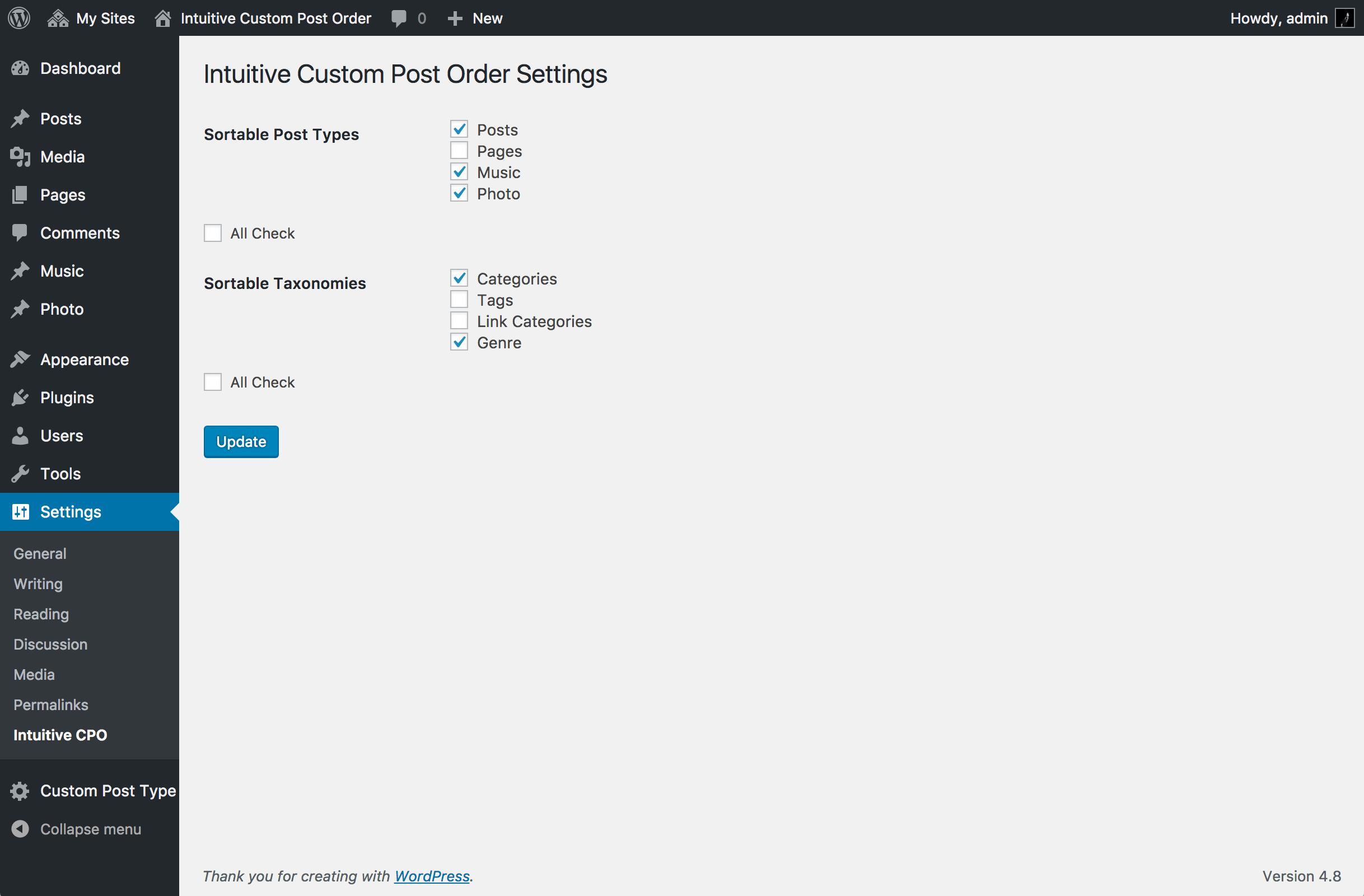
To get started, navigate to Settings → Intuitive CPO and choose which content types you want to make sortable. After enabling this feature, simply drag and drop items in the list tables without any additional setup required.
If you create custom queries in your theme or plugins, remember to set orderby=menu_order and order=ASC to respect the drag-and-drop order. For the default WordPress order (by date), use orderby=date and order=DESC instead.
You can find the source code and development details on GitHub.
Other Notable Features
Here are a few other notable features of this free Intuitive Custom Post Order plugin.

Screenshots


FAQ
No. After activation, items are sortable in the admin UI, and front-end queries for enabled post types are ordered by menu_order ASC automatically—unless you explicitly pass your own orderby.
Contributors and developers
“Intuitive Custom Post Order” is open source software. The following people have contributed to this plugin.


 3.2.0 –

WPS

7.6
Very Good

Ratings
4.4 out of 5 | 139
Version
3.2.0
Last updated
6 months ago
Active installations
400,000+
WordPress version
6.8.5 or higher
PHP version
or higher
Languages
21Tags
Custom Post Type Order,Order Post,Order Posts,Post Order,Posts OrderOther plugins you might like

All-in-One WP Migration and Backup
By ServMask
WPS
7.65
Very Good
7.6k+reviews

active installation
Tested with
6.9.4
Hostinger Tools
By Hostinger
WPS
7.66
Very Good
26+reviews
active installation
Tested with
6.9.4
Duplicate Page
By mndpsingh287
WPS
7.79
Very Good
442+reviews
active installation
Tested with
6.9.4
UpdraftPlus: WP Backup & Migration Plugin
By David Anderson / Team Updraft
WPS
7.92
Very Good
8.4k+reviews
active installation
Tested with
7.0
Classic Widgets
By Tonya Mork
WPS
7.59
Very Good
262+reviews
active installation
Tested with
6.9.4
Redirection
By John Godley
WPS
7.7
Very Good
689+reviews
active installation
Tested with
6.9.4