




GSheetConnector for Elementor Forms – Sync Elementor Forms to Google Sheets
By WesternDeal
Description
GSheetConnector for Elementor Forms is a powerful Elementor Google Sheets integration plugin that connects Elementor Forms and MetForm directly to Google Sheets.
GSheetConnector acts as a secure bridge between your WordPress site, Elementor Pro Forms or MetForm, and Google Sheets — enabling real-time form submission sync and automated spreadsheet management without manual exports.
Automatically sync Elementor form submissions to Google Sheets in real-time and eliminate manual exports, CSV downloads, or copy-paste workflows. Every submission is securely transferred to your selected Google Spreadsheet instantly after form submission.
Whether you collect leads, contact inquiries, bookings, registrations, or customer data, GSheetConnector ensures reliable Google Sheets sync and structured spreadsheet management directly from your WordPress site.
Built specifically for Elementor Pro Forms and MetForm, this plugin delivers seamless Google Sheets integration with secure authentication and automatic data synchronization.
Why Choose GSheetConnector?
✔ Sync Elementor Forms to Google Sheets instantly
✔ Direct Google Sheets integration without third-party automation tools like Zapier
✔ Support for Elementor Pro and MetForm
✔ Secure Google OAuth 2.0 authentication
✔ Lightweight, fast, and performance optimized
Built specifically for Elementor Pro Forms and MetForm users who need secure, real-time Google Sheets integration and reliable form submission sync.
How Elementor to Google Sheets Sync Works
When a visitor submits an Elementor Form (Elementor Pro) or MetForm (Free or Pro), GSheetConnector automatically syncs the form submission to Google Sheets in real-time by creating a new row in your connected Google Spreadsheet.
All standard and advanced form field types are supported. Submission date is recorded automatically, with extended metadata available in the Pro version.
Secure Google OAuth authentication ensures safe data transfer without complex API configuration.
Core Features (Free Version)
Real-Time Elementor Forms to Google Sheets Sync: Automatically sync Elementor Forms and MetForm submissions to Google Sheets in real-time.
One-Time Google Authentication: Authenticate once and enable continuous automatic form submission sync.
Field & Column Mapping: Map Elementor form fields directly to Google Sheet columns.
Submission Date Capture: Automatically record submission date with every form entry.
View Connected Google Spreadsheet: Access your linked Google Sheet directly from plugin settings.
Secure Google OAuth Authentication: Includes one-click Google authentication using official Google APIs.
Full Compatibility: Works with Elementor Pro Forms, MetForm (Free & Pro), latest WordPress versions, and modern PHP environments.
How to Send Elementor Forms Entries to Google Sheets
After installing and activating GSheetConnector:
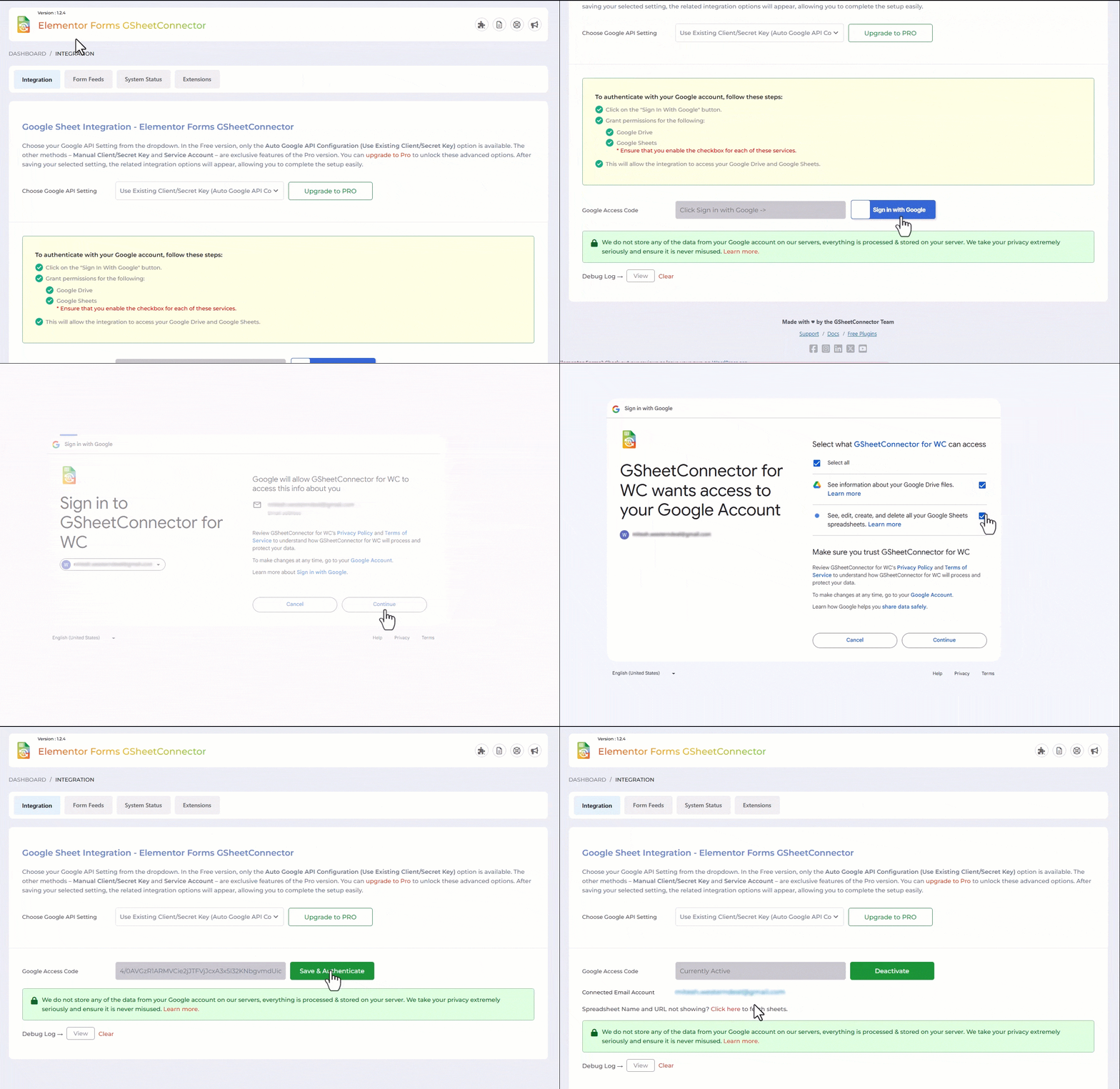
Step 1: Authenticate with Google: Use the one-click Google authentication button to securely connect your WordPress site to your Google Sheets account.
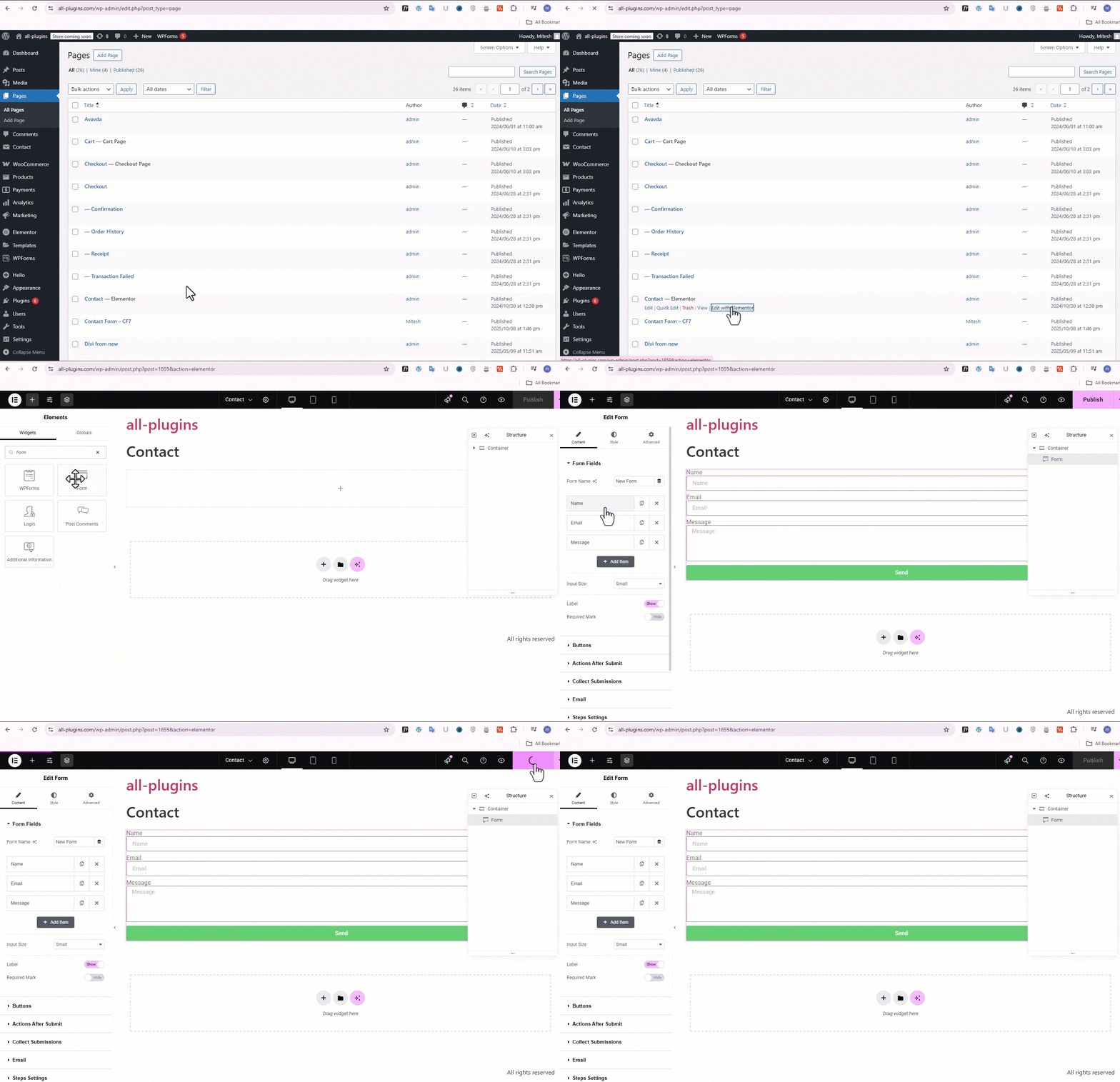
Step 2: Configure Sheet Details: Enter your Google Sheet Name, Sheet ID, Tab Name, and Tab ID inside plugin settings or within the Elementor Form editor under “Actions After Submit” → select “GSheetConnector”.
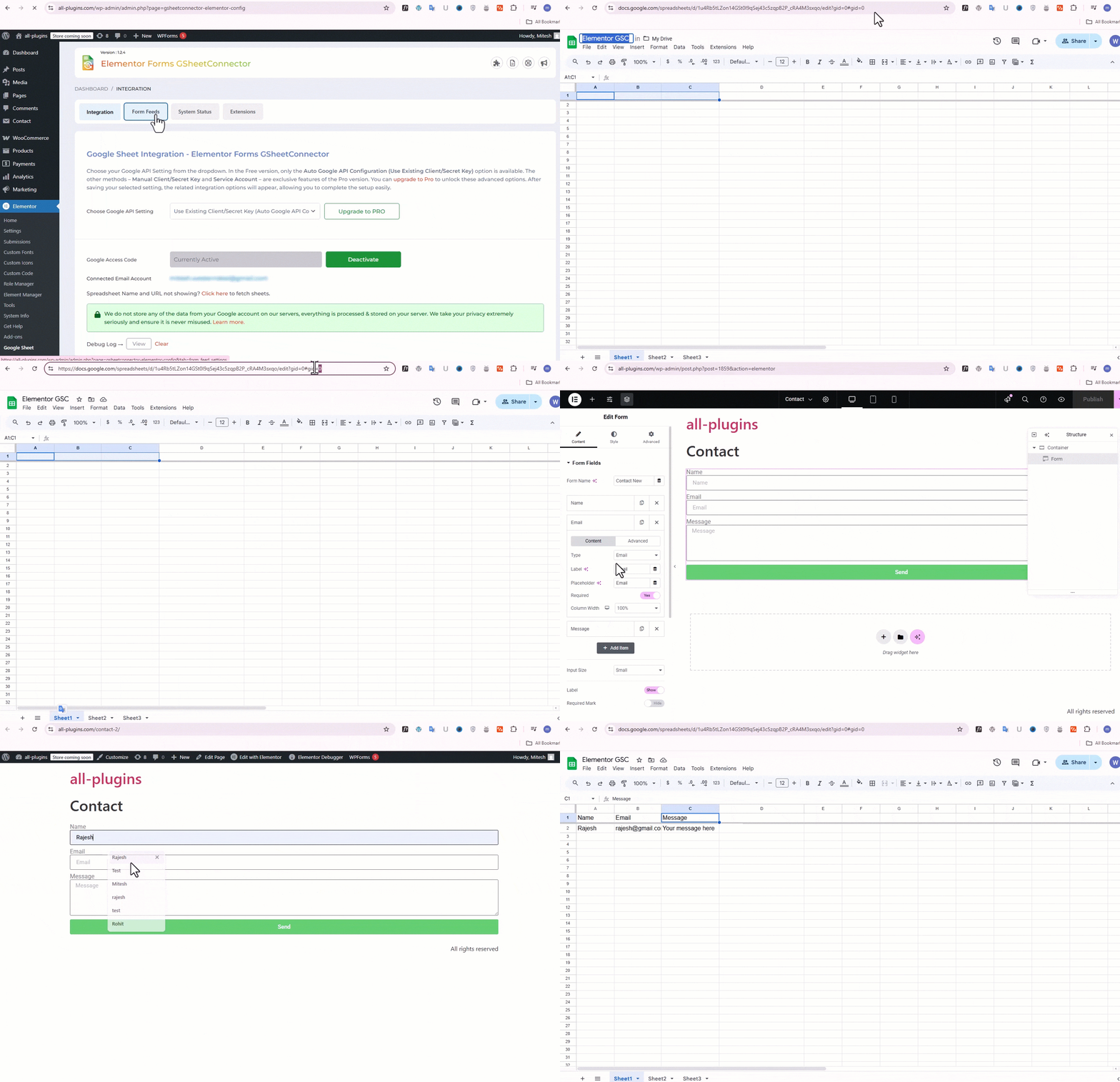
Step 3: Match Form Fields with Sheet Columns: Ensure your Google Spreadsheet has column headers in the first row that match your Elementor form field labels.
Save and submit a test form — your data will sync to Google Sheets in real-time.
Pro Features: Upgrade to Elementor Forms Google Sheets Connector PRO for advanced automation and enhanced control.
Automatic Header Creation: Generate Google Sheet column headers automatically from form fields.
Synchronize Existing Entries: Sync previously submitted Elementor or MetForm entries.
Advanced Field & Column Management: Edit, reorder, enable, or disable specific form fields before syncing.
Extended Submission Metadata: Capture submission time, IP address, browser info, and additional metadata.
Freeze Header Rows: Freeze header rows in Google Sheets for better readability.
Header & Row Styling: Customize header colors and alternate row styling.
Manual API & Service Account Authentication: Supports manual Google API configuration and Service Account authentication.
Live Demo & Resources: Homepage | Documentation | Support | Demo | Premium Version
About GSheetConnector: Part of the GSheetConnector suite, supporting over 80,000 WordPress users worldwide across multiple Google Sheets integrations.
GSheetConnector provides Google Sheets integrations for popular WordPress forms and WooCommerce, helping automate data syncing without writing code.
Important Notes: Ensure your Google Sheet Name, Sheet ID, Tab Name, Tab ID, and Column Headers match exactly with the values entered in plugin settings.
• Use exact form field labels as column headers
• Avoid special characters in column names
• Keep column headers consistent with form field labels
Proper formatting ensures accurate real-time Elementor to Google Sheets synchronization.
Other Notable Features
Here are a few other notable features of this free GSheetConnector for Elementor Forms – Sync Elementor Forms to Google Sheets plugin.

Screenshots
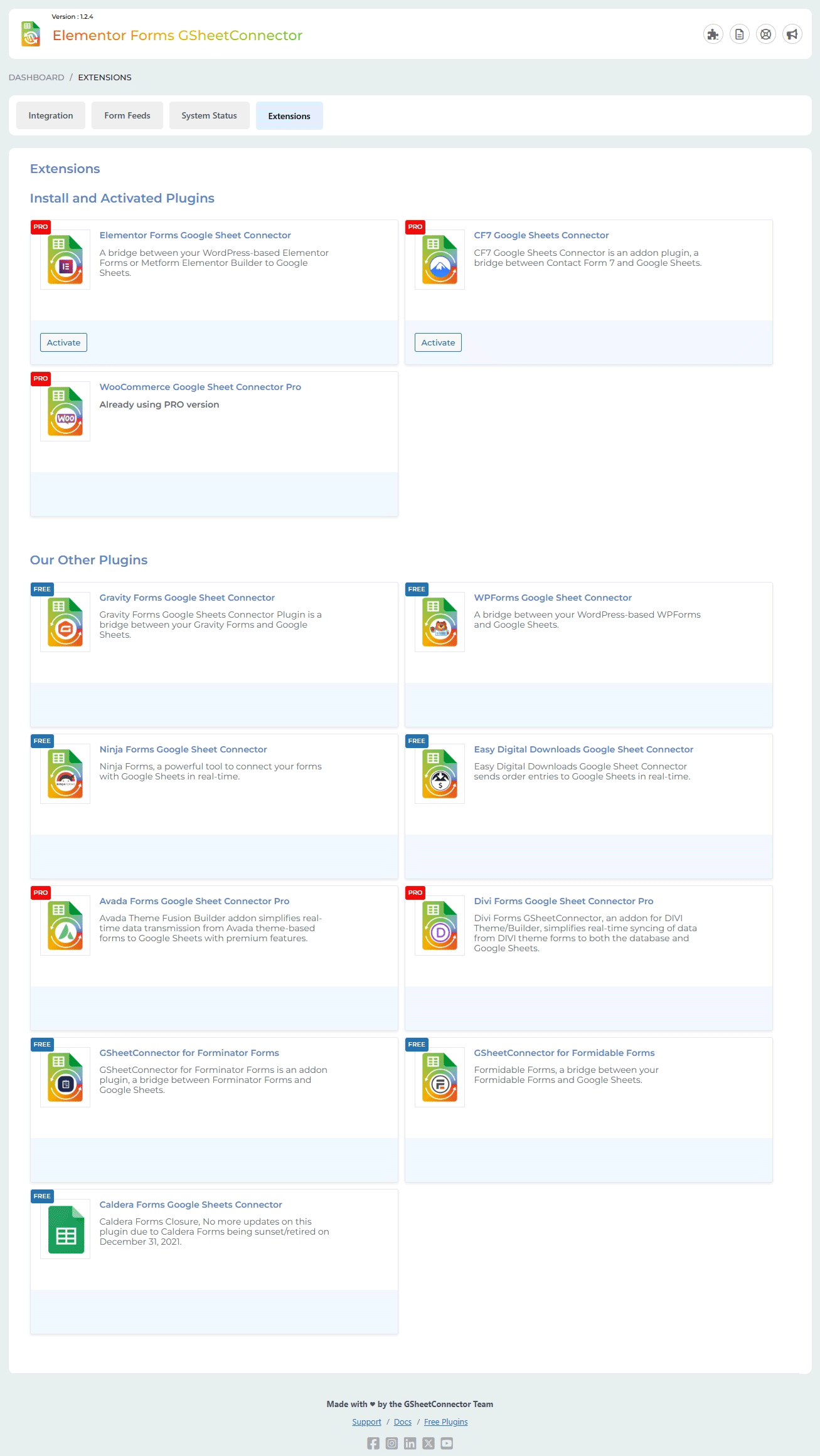
Contributors and developers
“GSheetConnector for Elementor Forms – Sync Elementor Forms to Google Sheets” is open source software. The following people have contributed to this plugin.
WPS

6.56
Average

Ratings
5 out of 5 | 10
Version
1.2.9
Last updated
2 weeks ago
Active installations
9,000+
WordPress version
6.9.4 or higher
PHP version
7.4 or higher
Languages
0Tags
Elementor,Elementor Addons,Elementor Forms,Elementor Google Sheets,Google SheetsOther plugins you might like

All-in-One WP Migration and Backup
By ServMask
WPS
7.65
Very Good
7.6k+reviews

active installation
Tested with
6.9.4
Hostinger Tools
By Hostinger
WPS
7.66
Very Good
26+reviews
active installation
Tested with
6.9.4
Duplicate Page
By mndpsingh287
WPS
7.79
Very Good
442+reviews
active installation
Tested with
6.9.4
UpdraftPlus: WP Backup & Migration Plugin
By David Anderson / Team Updraft
WPS
7.92
Very Good
8.4k+reviews
active installation
Tested with
7.0
Classic Widgets
By Tonya Mork
WPS
7.59
Very Good
262+reviews
active installation
Tested with
6.9.4
Redirection
By John Godley
WPS
7.7
Very Good
689+reviews
active installation
Tested with
6.9.4