




Admin Menu Editor
By Janis Elsts
Description
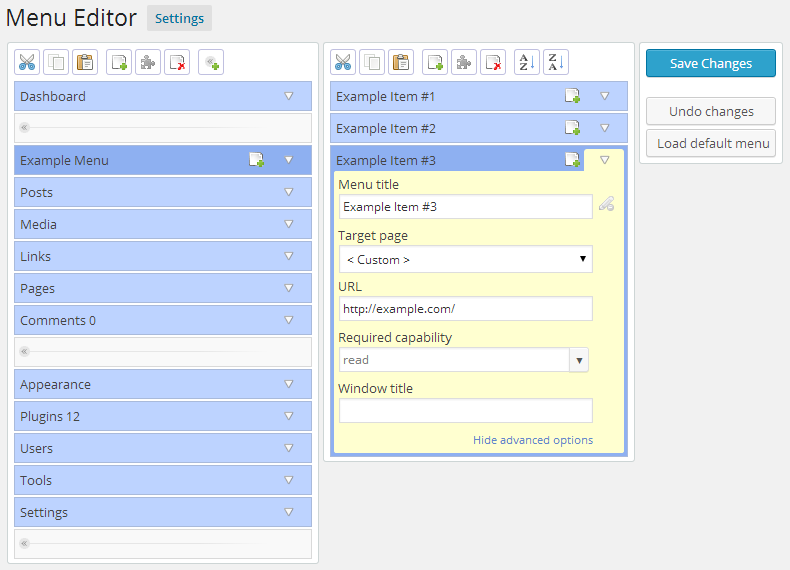
Admin Menu Editor lets you manually edit the Dashboard menu. You can reorder the menus, show or hide specific items, change permissions, and more.
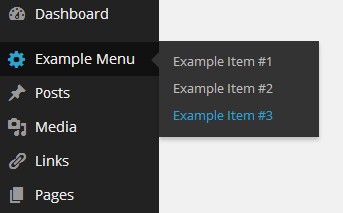
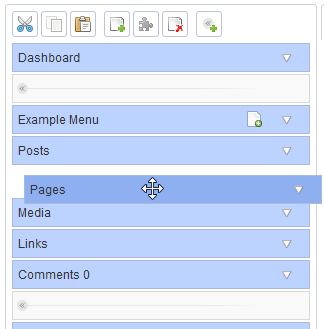
With this plugin, you can change menu titles, URLs, icons, and CSS classes. Organize menu items via drag and drop, and change menu permissions by setting the required capability or role. You can also move a menu item to a different submenu and create custom menus that point to any part of the Dashboard or an external URL.
The Pro version lets you set per-role menu permissions, hide a menu from everyone except a specific user, export your admin menu, drag items between menu levels, and make menus open in a new window. You can try the online demo to see it in action.
In addition to editing the admin menu, this plugin allows you to create login redirects, deny access to specific posts based on user roles, and hide plugins on the Installed Plugins page from other users. You can also edit the display name and description of plugins shown on the Installed Plugins page.
The plugin provides utility shortcodes intended to help with creating login/logout redirects, which can also be used in posts and pages.
Other Notable Features
Here are a few other notable features of this free Admin Menu Editor plugin.

Screenshots
Contributors and developers
“Admin Menu Editor” is open source software. The following people have contributed to this plugin.


 1.15 –

WPS

7.27
Very Good

Ratings
4.6 out of 5 | 311
Version
1.15
Last updated
1 month ago
Active installations
400,000+
WordPress version
6.9.4 or higher
PHP version
7.4 or higher
Languages
24Tags
Admin,Dashboard,Menu,Security,WpmuOther plugins you might like

All-in-One WP Migration and Backup
By ServMask
WPS
7.65
Very Good
7.6k+reviews

active installation
Tested with
6.9.4
Hostinger Tools
By Hostinger
WPS
7.66
Very Good
26+reviews
active installation
Tested with
6.9.4
Duplicate Page
By mndpsingh287
WPS
7.79
Very Good
442+reviews
active installation
Tested with
6.9.4
UpdraftPlus: WP Backup & Migration Plugin
By David Anderson / Team Updraft
WPS
7.92
Very Good
8.4k+reviews
active installation
Tested with
7.0
Classic Widgets
By Tonya Mork
WPS
7.59
Very Good
262+reviews
active installation
Tested with
6.9.4
Redirection
By John Godley
WPS
7.7
Very Good
689+reviews
active installation
Tested with
6.9.4