



Float menu – awesome floating side menu
By Wow-Company
Description
Float Menu is a free WordPress plugin designed to create and place unique floating menus on your website. This plugin allows users to access the menu functions regardless of its position on the page, as it moves along with the scrolling. The menu remains visible at all times, enhancing usability and user experience.
This plugin is lightweight and fast, ensuring it does not slow down your site. It is easy to customize, allowing you to change colors, icons, and position. Float Menu works seamlessly with any WordPress theme.
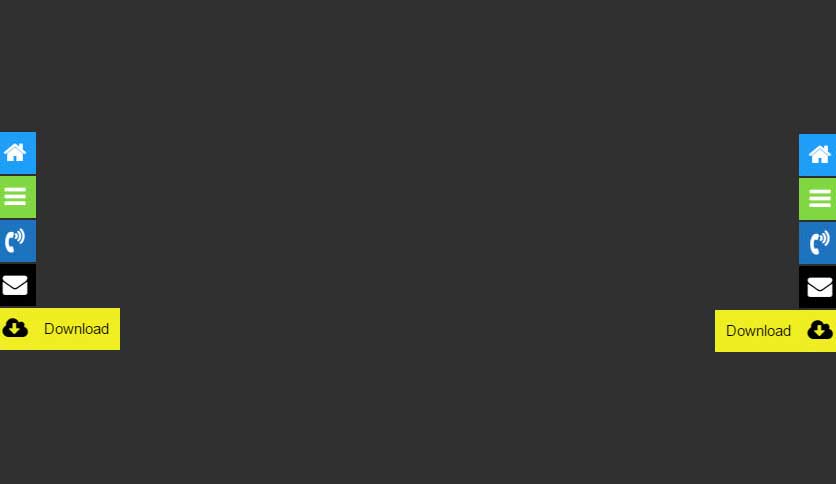
With Float Menu, you can create unlimited menus and position them either left or right. Choose from four button shapes and set custom colors for buttons and icons. The plugin also supports over 2000 Font Awesome icons. You can test your menu configurations in Test Mode, which shows the menu only to administrators.
Float Menu can be used for various purposes, including site navigation, main menus, contact blocks, and user profile navigation. The pro version unlocks advanced features such as creating submenus, custom icons, and additional functional links like social sharing and smooth scrolling.
Upgrade to Pro to unlock all premium features and enhance your floating menus even further!
Other Notable Features
Here are a few other notable features of this free Float menu – awesome floating side menu plugin.

Screenshots
FAQ
If the menu does not appear, it may be due to caching. Try the following steps to resolve the issue:
- Clear your browser cache – press
Ctrl + Shift + R(Windows) orCmd + Shift + R(Mac) to refresh the page without cache. - Clear your WordPress cache – if you’re using a caching plugin (e.g., WP Rocket, W3 Total Cache, LiteSpeed Cache), clear the cache in the plugin settings.
- Purge server cache – if your hosting provider uses caching (e.g., Cloudflare, SiteGround, or Nginx cache), clear the cache from your hosting panel.
- Disable caching temporarily – if the issue persists, try disabling the caching plugin and check if the menu appears.
Contributors and developers
“Float menu – awesome floating side menu” is open source software. The following people have contributed to this plugin.


 7.2.3 –

WPS

6.8
Average

Ratings
4.4 out of 5 | 41
Version
7.2.3
Last updated
1 month ago
Active installations
30,000+
WordPress version
6.9.4 or higher
PHP version
7.4 or higher
Languages
3Tags
Floating Menu,Menu,Navigation,Side Menu,Sticky MenuOther plugins you might like

Breadcrumb NavXT
By John Havlik
WPS
7.68
Very Good
132+reviews

active installation
Tested with
6.9.4
Category Order and Taxonomy Terms Order
By nsp-code
WPS
6.83
Average
162+reviews
active installation
Tested with
6.9.4
WP Sitemap Page
By Tony Archambeau
WPS
7.06
Very Good
205+reviews
active installation
Tested with
6.8.5
Max Mega Menu
By megamenu
WPS
7.53
Very Good
859+reviews
active installation
Tested with
6.9.4
Custom Post Type Permalinks
By Toro_Unit (Hiroshi Urabe)
WPS
6.88
Average
71+reviews
active installation
Tested with
6.6.5
Table of Contents Plus
By Syed Balkhi
WPS
6.71
Average
159+reviews
active installation
Tested with
6.7.5