



Easy Table of Contents
By Magazine3
Description
Easy Table of Contents is a user-friendly plugin that allows you to insert a table of contents into your posts, pages, and custom post types. It automatically generates the table of contents by parsing the content for headers, making it easy for users to navigate through your content.
This plugin supports various page editors and offers many customizable options, including themes, bullet formats, and the ability to selectively enable the TOC on a post-by-post basis. You can also use a widget to display the TOC in your theme's sidebar, ensuring it remains visible as users scroll down the page.
With the Pro version, you gain access to additional features such as a Gutenberg block, Elementor widget, sticky TOC options, and enhanced customization capabilities. This makes it easier to create a professional-looking table of contents that meets your specific needs.
Other Notable Features
Here are a few other notable features of this free Easy Table of Contents plugin.

Screenshots

FAQ
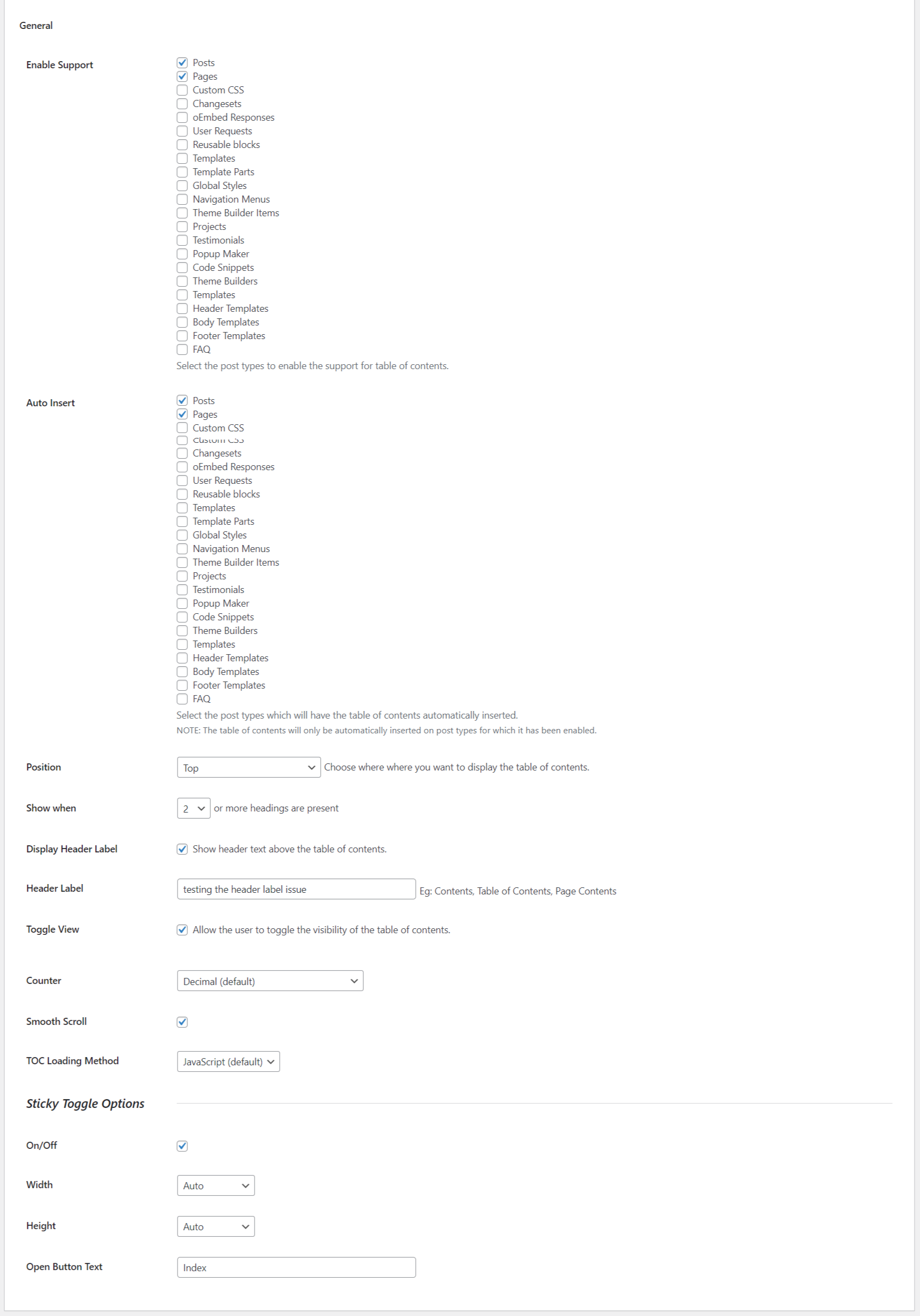
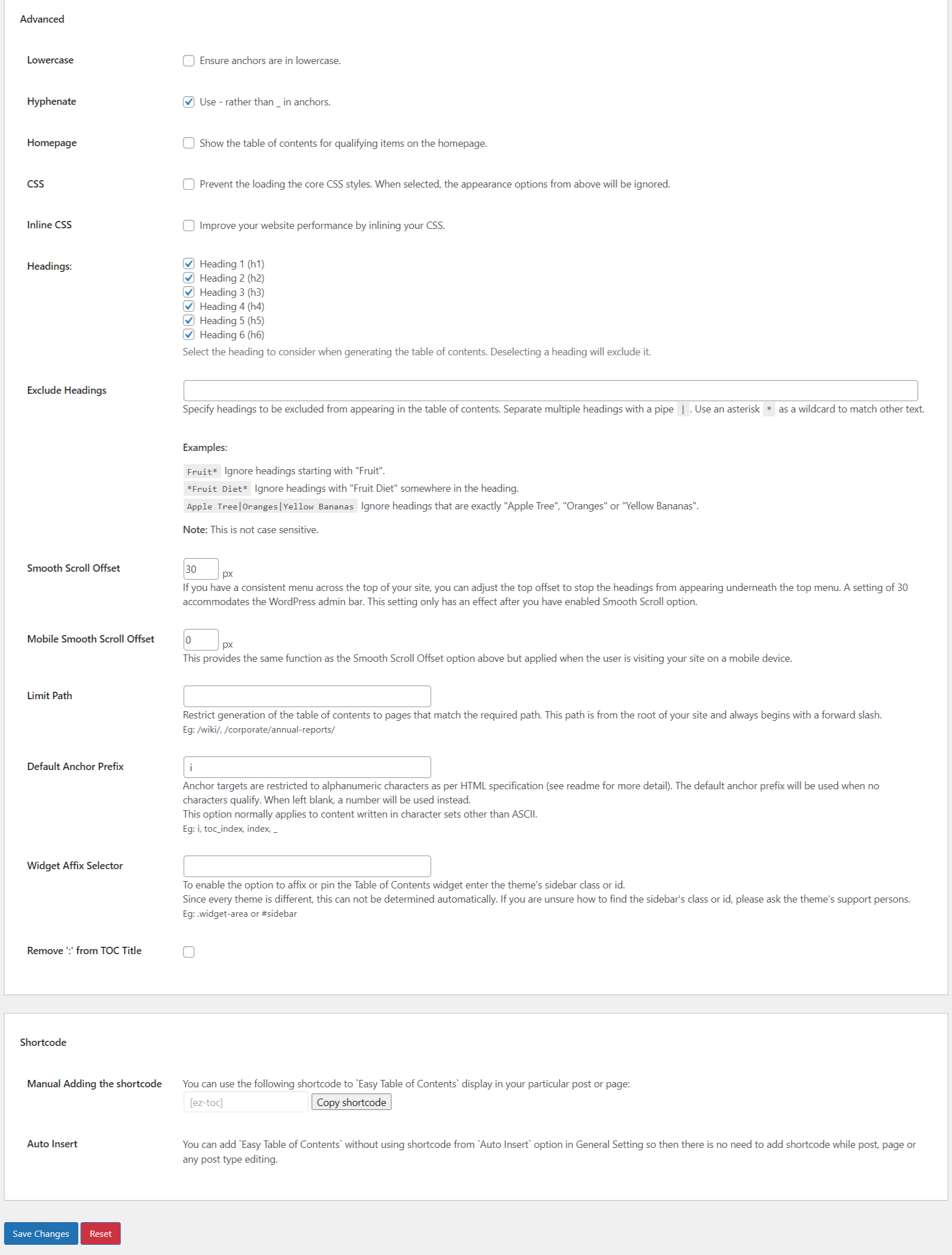
You first stop should be the Table of Contents settings admin page. You can find this under the Settings menu item.
You first and only required decision is you need to decide which post types you want to enable Table of Contents support for. By default it is the Pages post type. If on Pages is the only place you plan on using Table of Contents, you have nothing to do on the Settings page. To keep things simple, I recommend not changing any of the other settings at this point. Many of the other settings control when and where the table of contents is inserted and changing these settings could cause it not to display making getting started a bit more difficult. After you get comfortable with how this works… then tweak away 🙂
With that out of the way make sure to read the How are the tables of contents created? FAQ so you know how the Table of Contents is automatically generated. After you have the page headers setup, or before, either way… Scroll down on the page you’ll see a metabox named “Table of Contents“, enable the Insert table of contents. option and Update and/or Publish you page. The table of contents should automatically be shown at the top of the page.
Contributors and developers
“Easy Table of Contents” is open source software. The following people have contributed to this plugin.


 2.0.79.2 09/12/2025 –

WPS

7.19
Very Good

Ratings
4.4 out of 5 | 217
Version
2.0.82.2
Last updated
3 days ago
Active installations
600,000+
WordPress version
6.9.4 or higher
PHP version
5.6.20 or higher
Languages
21Tags
Table Of Contents,TocOther plugins you might like

Classic Editor
By WordPress.org
WPS
7.69
Very Good
1.2k+reviews

active installation
Tested with
6.9.4
Yoast Duplicate Post
By Yoast
WPS
7.85
Very Good
526+reviews
active installation
Tested with
6.9.4
Advanced Editor Tools
By Andrew Ozz
WPS
7.53
Very Good
351+reviews
active installation
Tested with
6.9.4
Advanced Custom Fields (ACF®)
By WP Engine
WPS
7.56
Very Good
1.4k+reviews
active installation
Tested with
6.9.4
Custom Post Type UI
By webdevstudios
WPS
7.1
Very Good
273+reviews
active installation
Tested with
6.9.4
TablePress – Tables in WordPress made easy
By Tobias Bäthge
WPS
8.04
Very Good
4.6k+reviews
active installation
Tested with
6.9.4