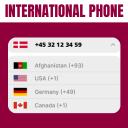
Country Code For Elementor Form Telephone Field Review - In-Depth Analysis
Add a country code dropdown with flags to Elementor form phone field for valid international numbers. Works with Hello Plus form widget.
Performance Overview
User Rating
5/5 (based on 8+
reviews)
Active Installations
10,000+
Update Frequency
Below Average
It is calculated using the weighted average of same category
plugins.
Security Score
1 / 10
(Very Low Risk)
It is calculated using the weighted average of all versions.
What It Does
This plugin allows you to add an international country code dropdown with flags inside the phone field of your Elementor form. It ensures users enter valid mobile numbers by selecting the correct country dial code before typing their phone number.
With this plugin, you can limit the dropdown to display only specific countries, exclude certain countries, set a default country, and control dial code visibility. It also offers strict mode validation to block invalid numbers based on the selected country.
Upgrade to the pro version for more advanced features like auto-detecting the country code by user IP and showing preferred countries at the top of the dropdown. This addon is compatible with the Hello Plus form widget, making it versatile for various form types.
Comparing to Alternatives
This plugin offers a specialized solution for adding country codes to Elementor form telephone fields. Several alternatives exist that cater to similar needs, especially for different form builders or with additional features.
Strengths
- Seamless integration with Elementor forms.
- Highly rated with perfect user satisfaction.
- Responsive and helpful support, including quick feature additions.
- Supports WPML translation for multilingual sites.
- Easy to use and implement without complex setup.
Weaknesses
- Limited to Elementor forms, not suitable for other form builders.
- May lack some advanced customization features found in broader plugins.
- Relies on users to upgrade for premium features.
- Smaller user base compared to some alternatives.
User Sentiment Analysis
With a perfect 5-star rating from all reviewers, users consistently praise the plugin's ease of use, reliability, and responsive support.
Positive highlights
- "Great plugin! Highly recommended" — eldadn
- "Worked like a charm" — hihimanshu70
- "Brutal support! Implemented WPML translation quickly" — angeldavo
- "Awesome! Thanks for the plugin." — coderashik
- "Perfect! Just what I was looking for." — Jorge Sandoval
Weaknesses
- Limited to Elementor forms only.
- Some advanced features require the pro version.
- Smaller community compared to more established alternatives.
Who Should Use This?
Best for
Users who build websites with Elementor and need a straightforward, reliable way to add country codes to telephone fields in their forms.
Not ideal for
Those using other form builders or requiring extensive customization beyond the plugin's scope may find this plugin less suitable.
Pricing & Value
Free version includes
The free version provides essential functionality to add country codes to Elementor form telephone fields with ease and includes WPML translation support.
Pro version
Offers additional premium features such as enhanced customization options, priority support, and possibly more integrations, although specific features are not detailed.
Final Verdict
Country Code For Elementor Form Telephone Field stands out for its perfect user ratings, ease of use, and responsive support, making it an excellent choice for Elementor users needing country code functionality. Its security record is clean, adding to its reliability.
While it has some limitations in scope and advanced features, the plugin's free version offers solid value, and the pro version likely enhances its capabilities. Users should consider their form builder and customization needs when choosing this plugin over alternatives.
Other Notable Features
Here are a few other notable features of this free
Country Code For Elementor Form Telephone Field plugin.
FAQ
This plugin allows users to select their country code when entering their mobile number in Elementor forms. It ensures accurate and properly formatted phone number submissions, reducing errors.
Yes, you can set any country as the default selected country code inside the plugin settings by entering that country’s alpha-2 code (e.g., in for India, ca for Canada).
Find the full list of alpha-2 codes here: https://www.iban.com/country-codes
Yes, it works with both Elementor Free and Elementor Pro. For Elementor Pro users, the country code dropdown integrates directly into the Pro form widget. Free version users can use it with Hello Plus form lite widget.
Auto-detection of the user’s country code based on IP address is available in the Cool FormKit pro version. The free version does not include this feature.
Yes, you can choose to hide country flags and display only the dial codes for minimal design or faster loading. (This feature is available in the Pro version via Cool FormKit.)
No, the plugin is lightweight and optimized for performance. It only loads necessary CSS and JavaScript files on pages where the Elementor form is present.
Yes, you can set preferred countries in the settings so they always appear at the top of the dropdown for quick selection.
Yes, the plugin is fully GDPR-friendly. It does not store, track, or share any user data.
Yes! Upgrade to Cool FormKit to unlock advanced options like:
* Auto-detect country code
* Conditional form logic
* Calculator fields
* Rating fields
* Signature fields, and more.
Please report security bugs found in the source code of the Country Code For Elementor Form Telephone Field plugin through the Patchstack Vulnerability Disclosure Program. The Patchstack team will assist you with verification, CVE assignment, and notify the developers of this plugin.
Contributors and developers
“Country Code For Elementor Form Telephone Field”
is open source software. The following people have
contributed to this plugin.