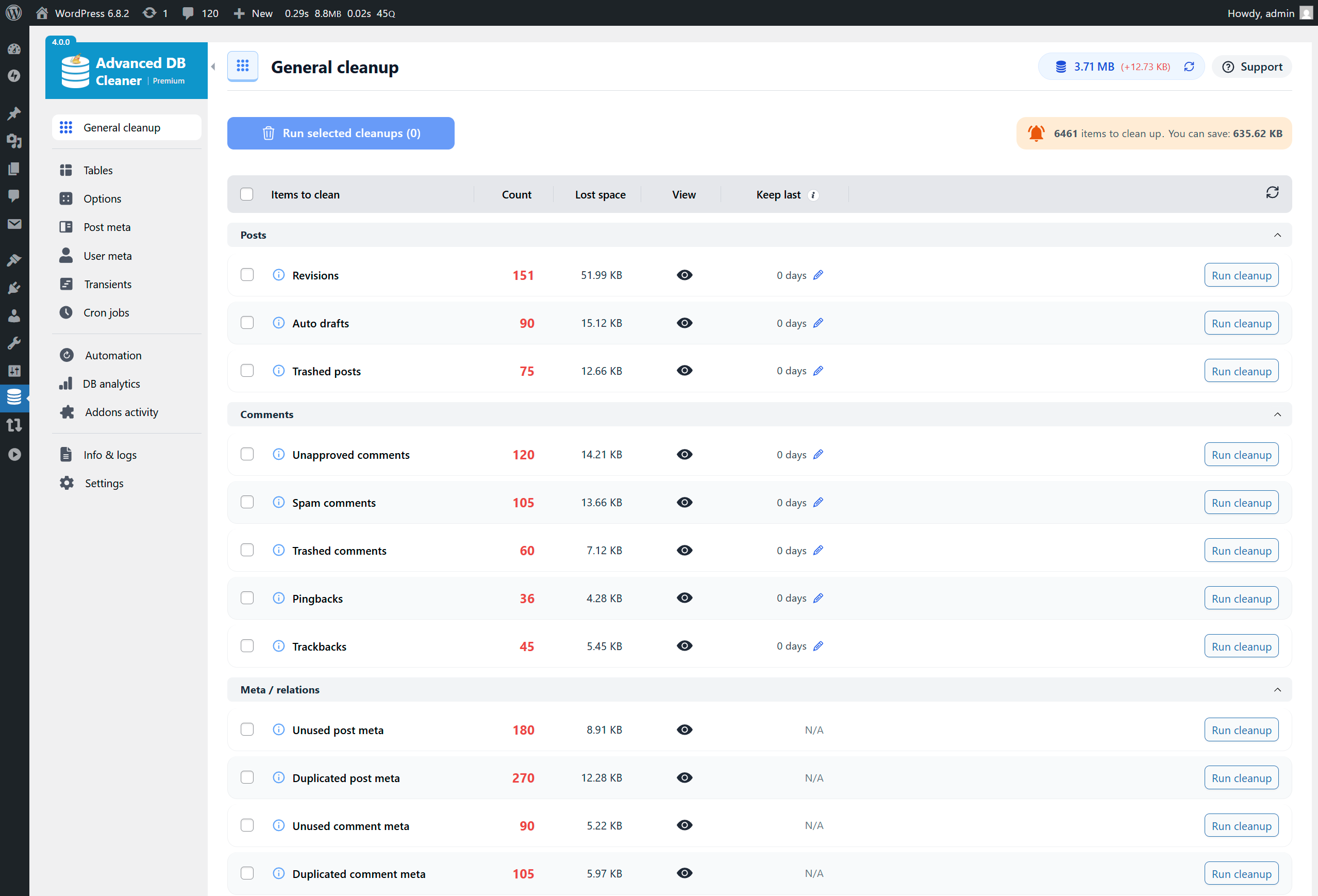
Advanced Database Cleaner helps you clean up your WordPress database by deleting orphaned items such as old revisions, spam comments, and expired transients. This cleanup process reduces database size and enhances website speed and performance.
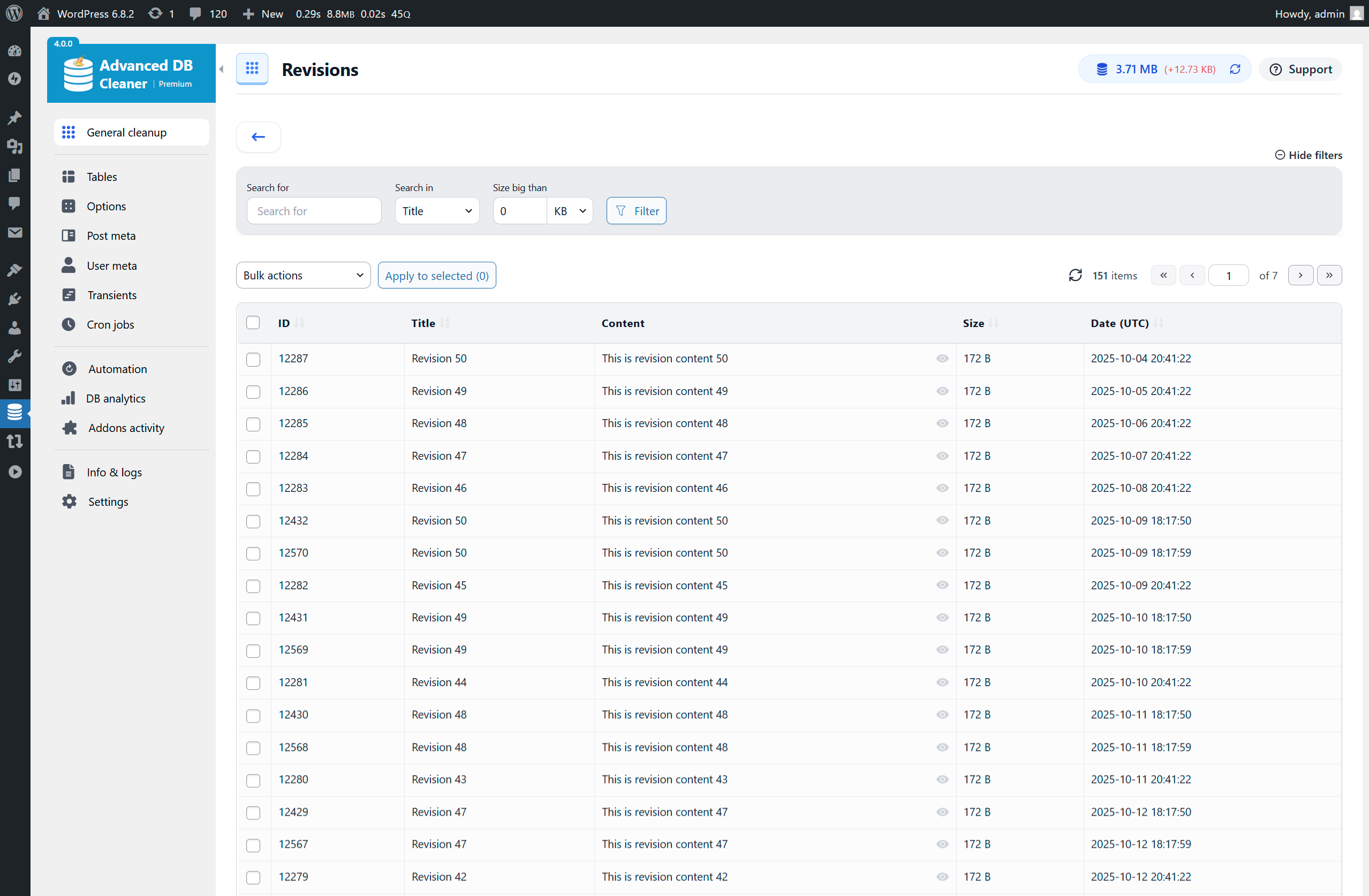
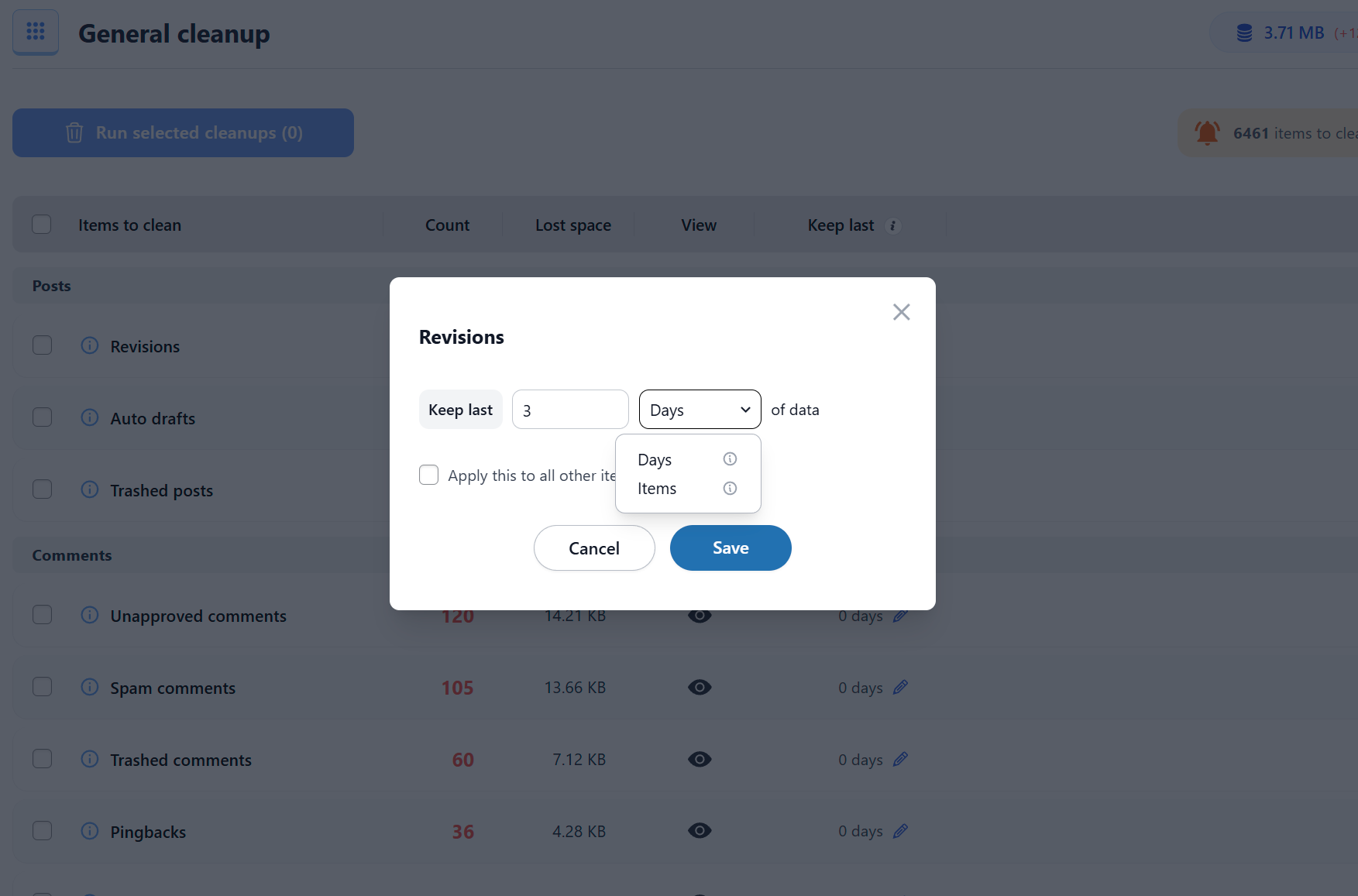
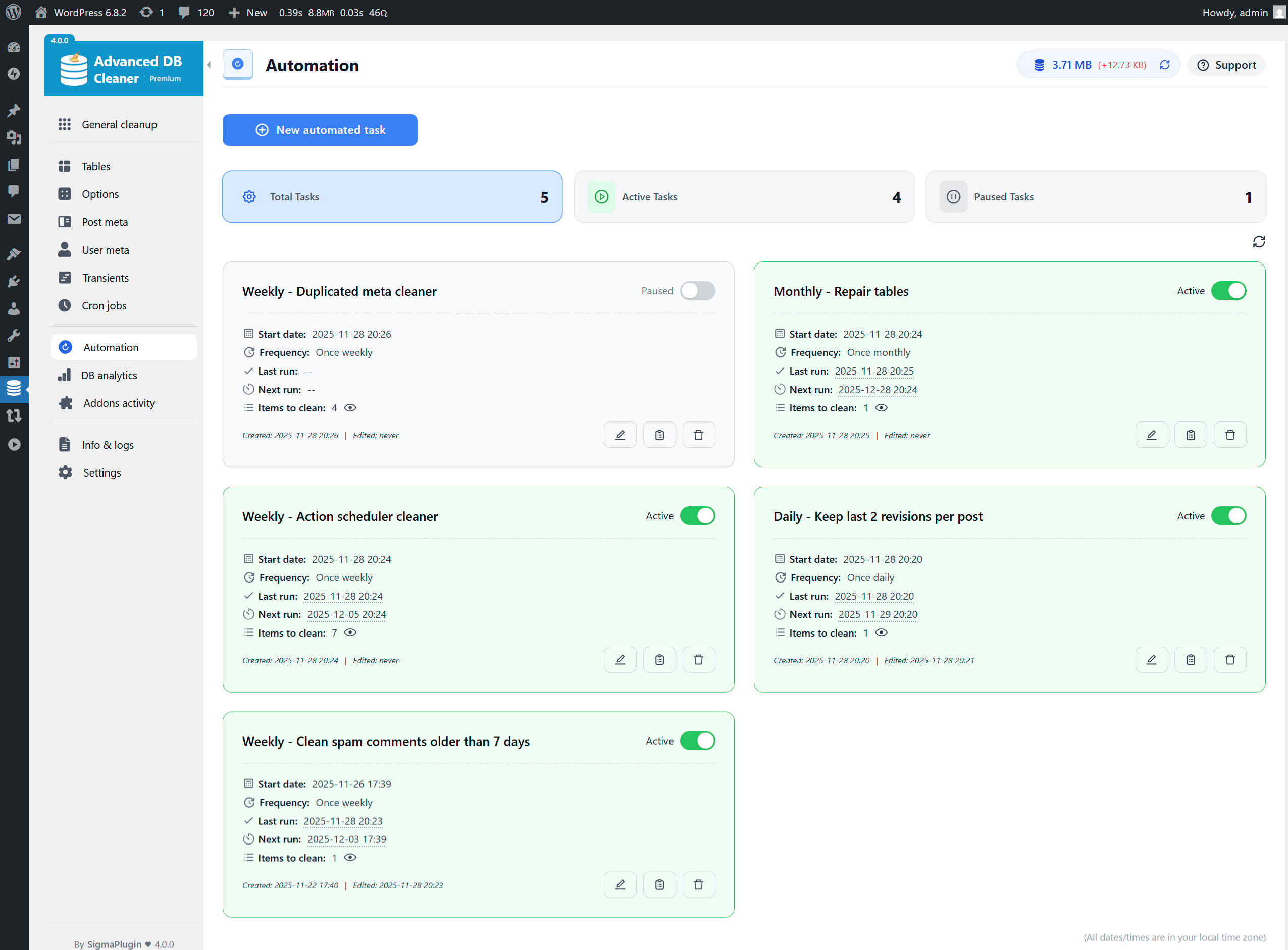
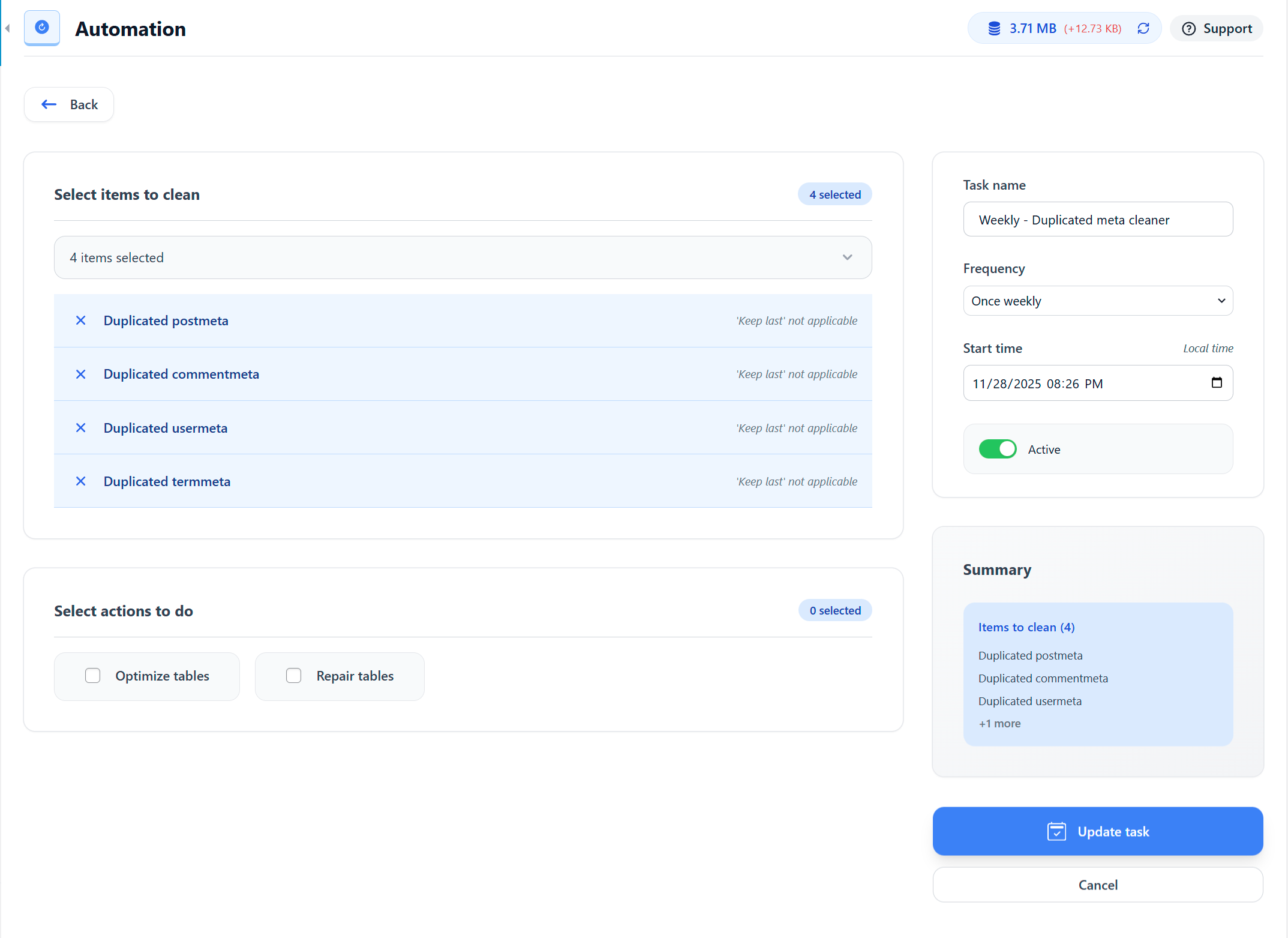
The plugin allows you to schedule automatic cleanups and optimizations, ensuring your database remains efficient over time. You can also view orphaned data before cleaning it up, giving you control over what gets deleted.
With multisite support, you can manage the database of all sites from a single main site, making it easier to maintain your network's performance.
Other Notable Features
Here are a few other notable features of this free
Advanced Database Cleaner – Optimize & Clean database to Speed Up Site Performance plugin.
Clean
Database
Optimize
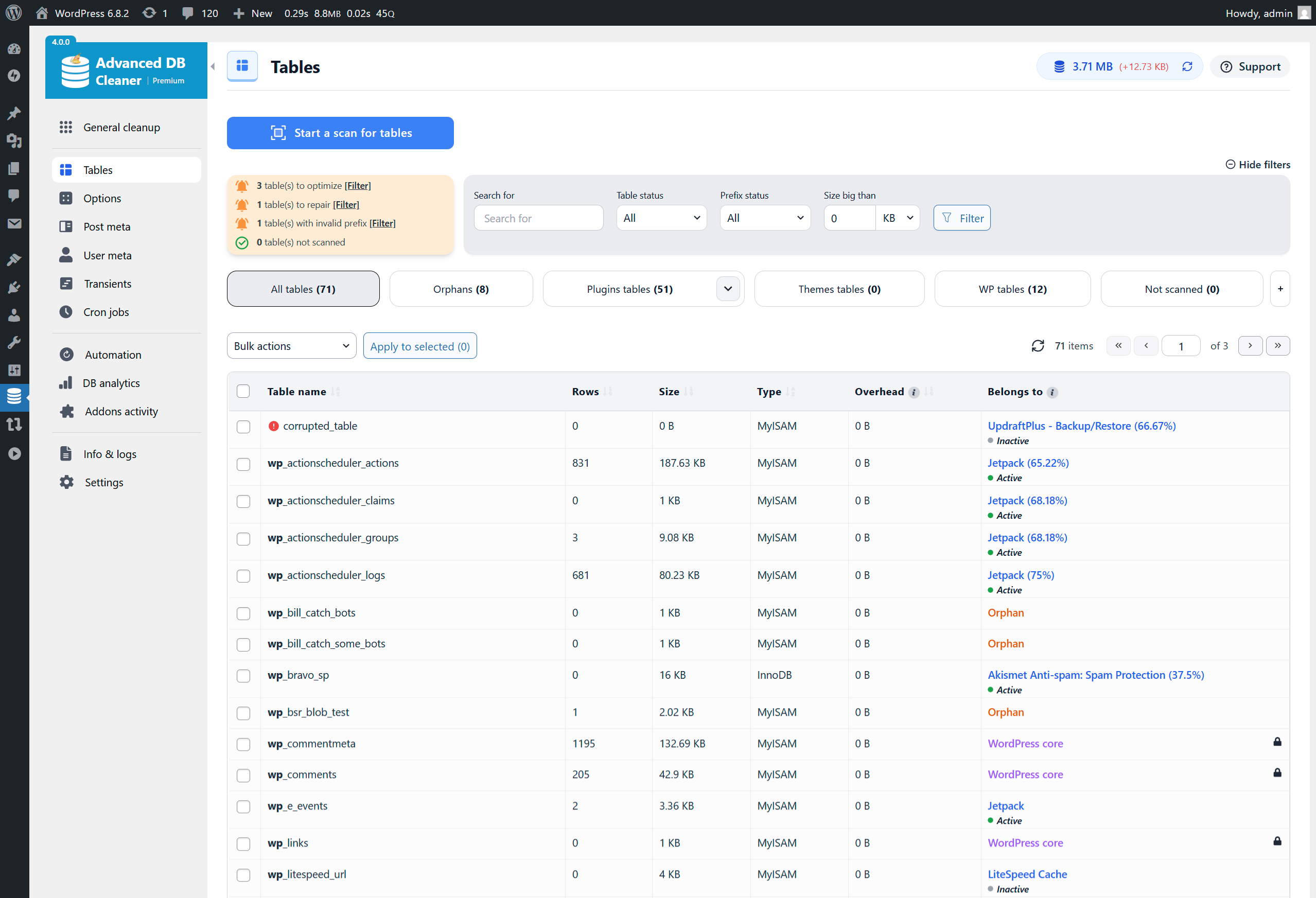
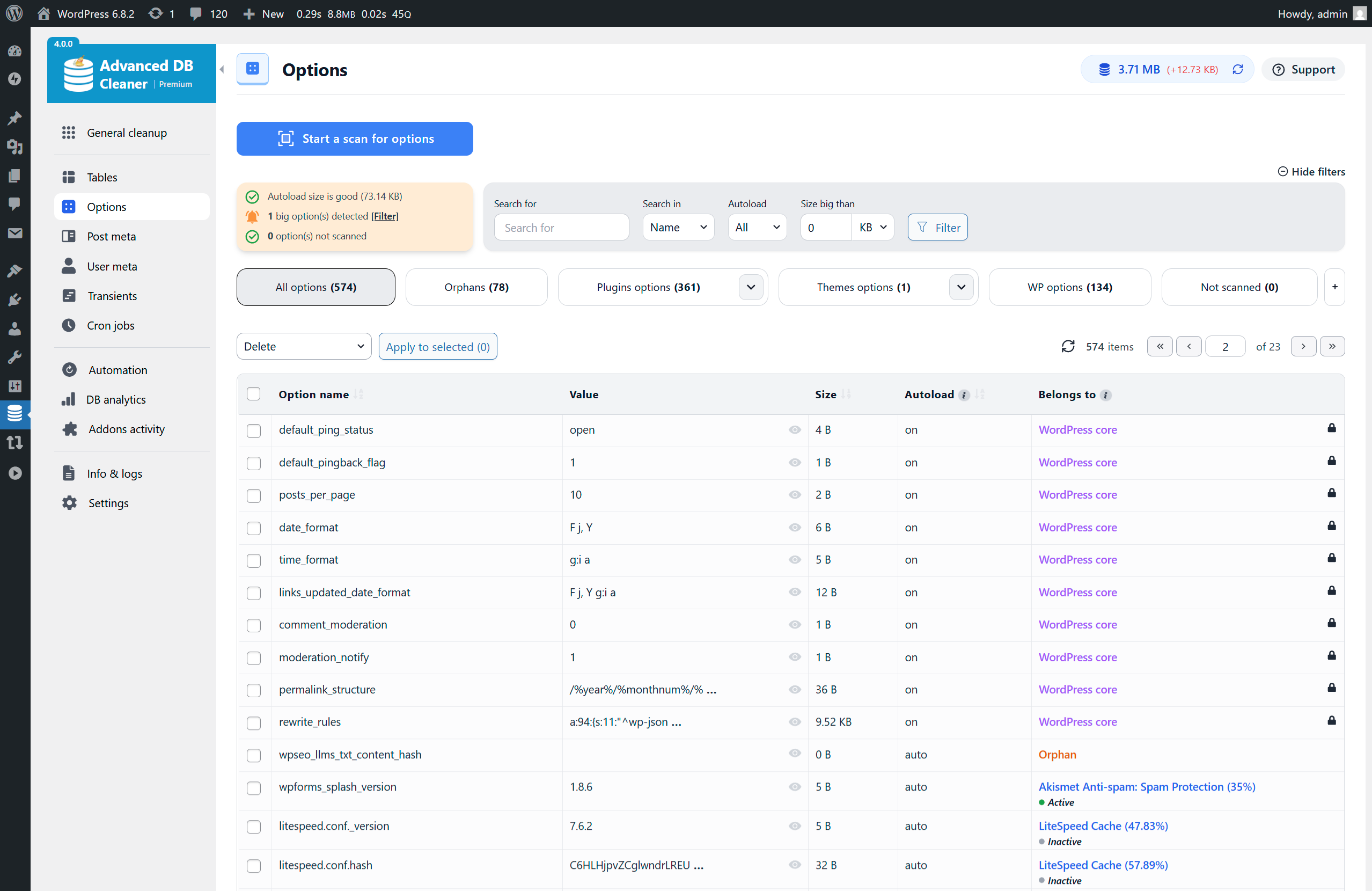
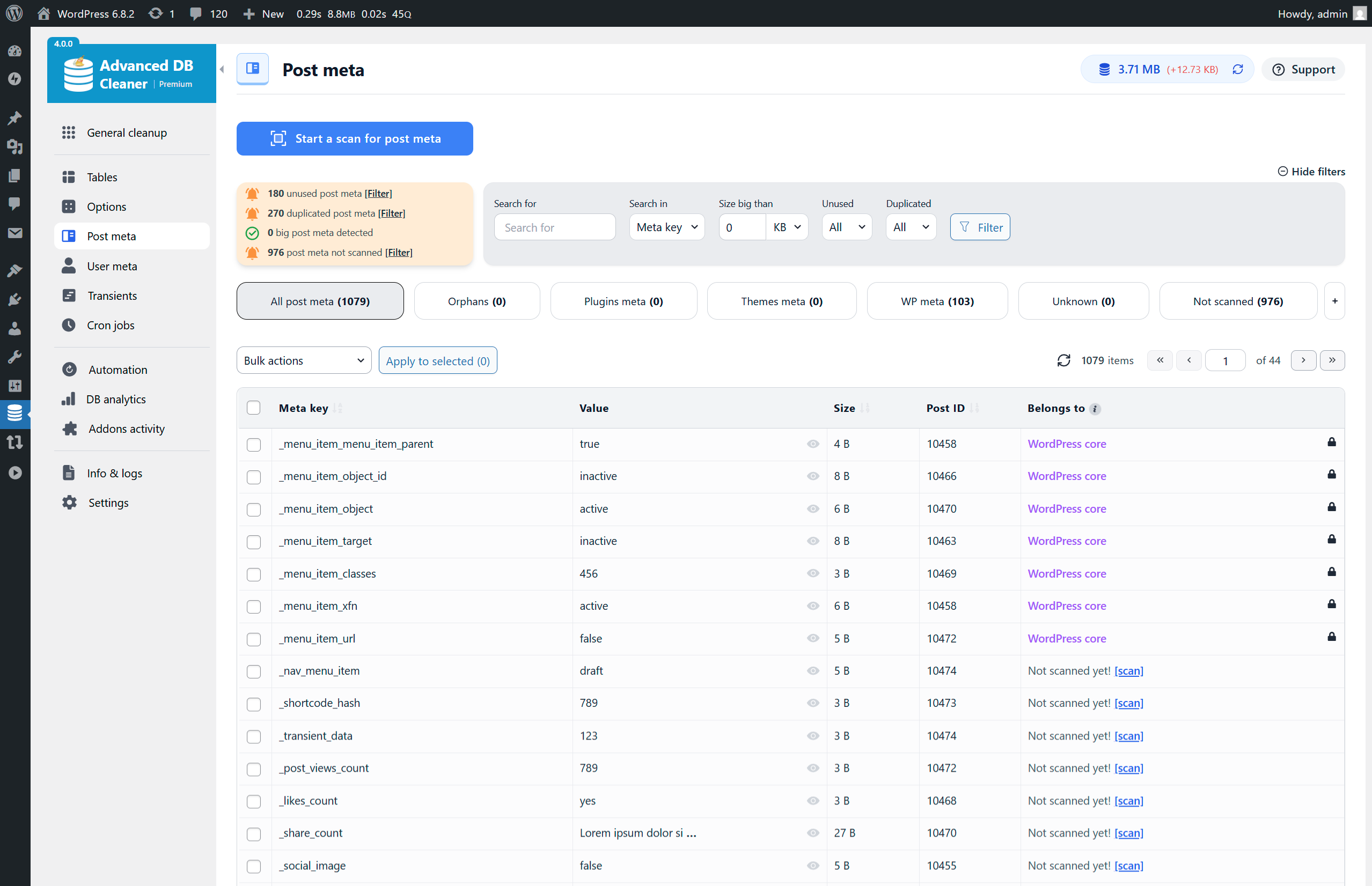
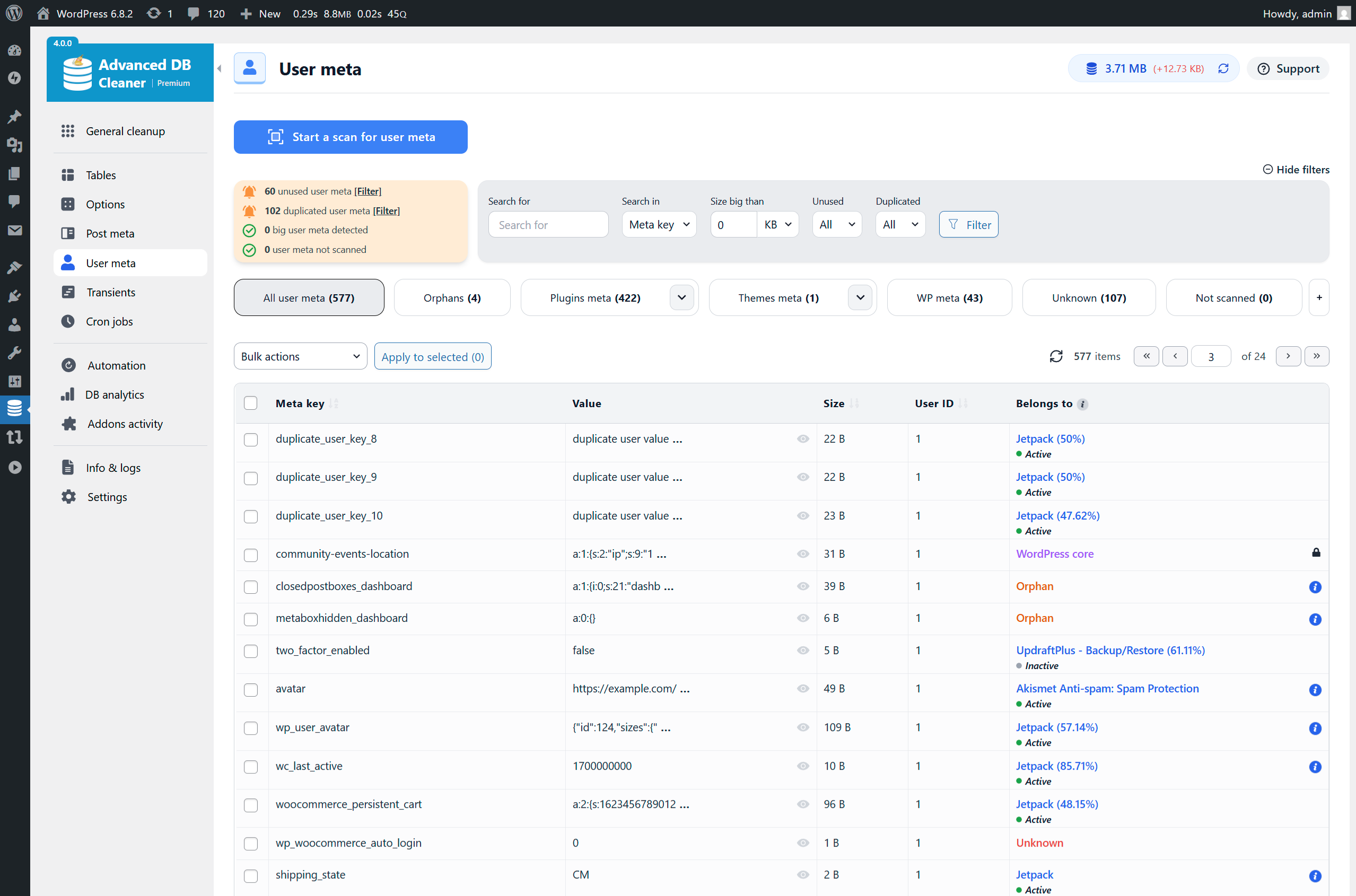
Screenshots
FAQ
As you use WordPress, your database accumulates a lot of extra data such as revisions, spam comments, trashed comments, etc. Removing this unnecessary data will reduce your database size, speeds up your backup process and speeds up your site also.
Yes, it is safe. The plugin does not run any code that can break your site or delete posts, pages, or approved comments. It only removes items that WordPress considers unnecessary. However, you should always back up your database before performing any cleanup. This is required, not optional! Backups ensure you can always restore your site if something unexpected happens.
Optimizing your database will reclaim unused space in your tables, which will reduce storage space and improve efficiency when accessing tables. Optimizing the database can sometimes significantly improve performance, particularly on sites that receive a lot of traffic or have a large amount of content. Optimizing your database is absolutely safe.
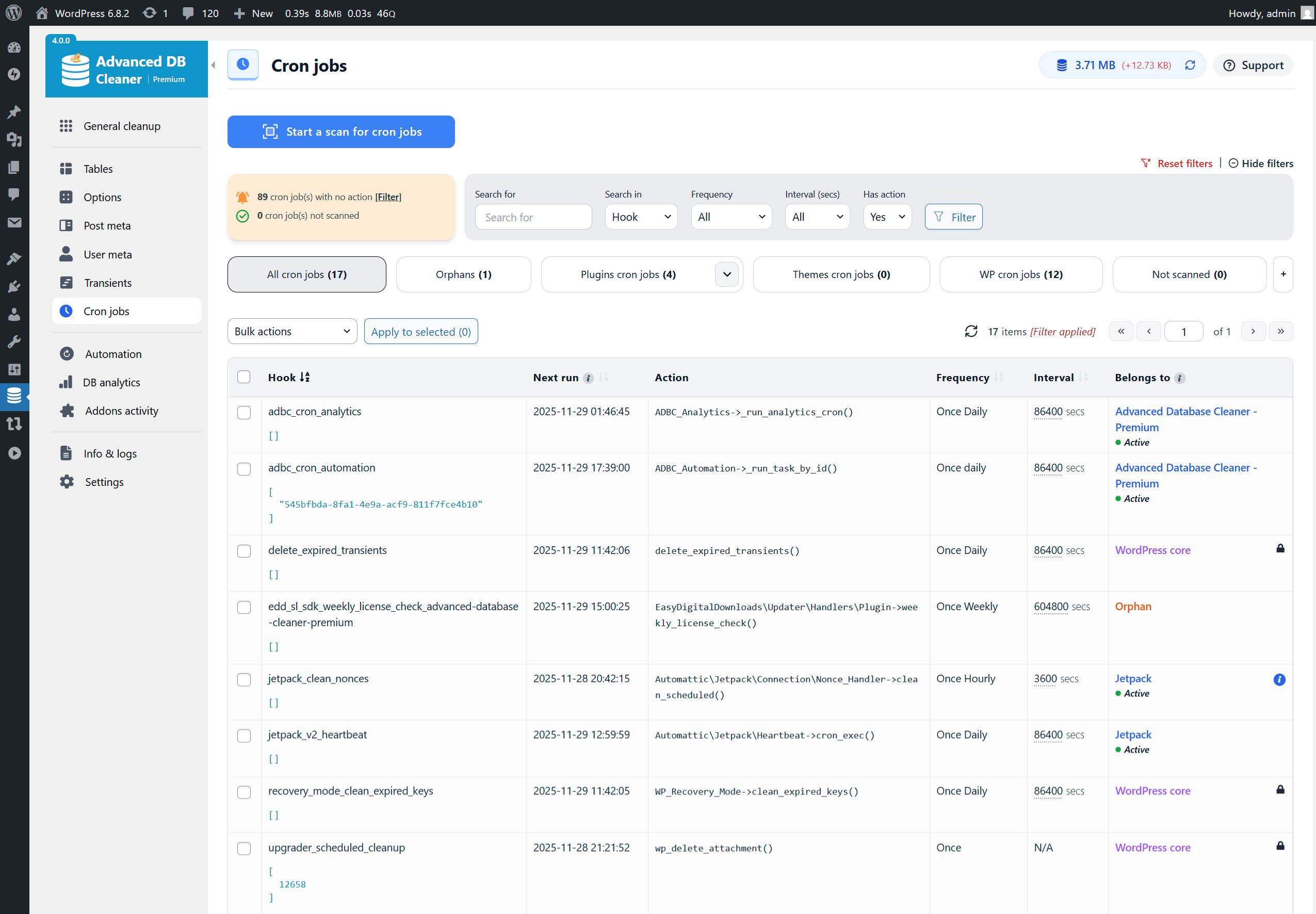
Cron jobs allow WordPress and plugins to run tasks automatically (like checking for updates or sending emails). When a plugin is removed, some of its cron jobs may remain behind. These leftover tasks serve no purpose and can slow down wp-cron events. Cleaning unnecessary cron jobs is safe as long as you know which ones should be removed. If you are unsure, it is safer not to delete any cron jobs manually.
WordPress stores a record (called “revision”) of each saved draft or published update. This system allows you to see what changes were made in each post and page over time. However, this can lead to a lot of unnecessary overhead in your WordPress database, which consumes a lot of space. The sql query used by the plugin to clean all revisions is: DELETE FROM posts WHERE post_type = ‘revision’
WordPress automatically saves your post/page while you are editing it. This is called an auto-draft. If you don’t hit the publish/update button, then the post/page will be saved as auto-draft and any modification to your post/page will not be visible in your public site. Over time, you could have multiple auto-drafts that you will never publish and hence you can clean them. The sql query used by the plugin to clean all auto-drafts is: DELETE FROM posts WHERE post_status = ‘auto-draft’
Pending comments are comments published by users and which are waiting for your approval before appearing in your site. In some cases, you will have to clean all these comments. The sql query used by the plugin to clean all pending comments is: DELETE FROM comments WHERE comment_approved = ‘0’
It is a comment that you (or a plugin) have marked as spam. The sql query used by the plugin to clean all spam comments is: DELETE FROM comments WHERE comment_approved = ‘spam’
A trash comment is a comment that you have deleted from your WordPress and have been moved to the trash. A trash comment is not visible in your site and should be deleted forever. The sql query used by the plugin to clean all trash comments is: DELETE FROM comments WHERE comment_approved = ‘trash’
Trackbacks allows you to notify other websites owners that you have linked to their article on your website. These trackbacks can be used to send huge amounts of spam. Spammers use them to get their links posted on as many sites as possible. That is why they should be deactivated/cleaned if you do not use them. The sql query used by the plugin to clean trackbacks is: DELETE FROM comments WHERE comment_type = ‘trackback’
Pingbacks allow you to notify other websites owners that you have linked to their article on your website. Pingbacks were designed to solve some of the problems that people saw with trackbacks. Although there are some minor technical differences, a trackback is basically the same things as a pingback. These pingbacks can be used to send huge amounts of spam. Spammers use them to get their links posted on as many sites as possible. That is why they should be deactivated/cleaned if you do not use them. The sql query used by the plugin to clean pingbacks is: DELETE FROM comments WHERE comment_type = ‘pingback’
The post meta data is the information you provide to viewers about each post. This information usually includes the author of the post, when it was written (or posted), and how the author categorized that particular post. In some cases, some post meta data information becomes orphan and does not belong to any post. They are then called “orphan postmeta” and should be cleaned since they are not useful. The sql query used by the plugin to clean all orphan postmeta is: DELETE pm FROM postmeta pm LEFT JOIN posts wp ON wp.ID = pm.post_id WHERE wp.ID IS NULL
The same as “Orphan post meta” with the exception that “orphan comment meta” concern comments and not posts. The sql query used by the plugin to clean all orphan comment meta is: DELETE FROM commentmeta WHERE comment_id NOT IN (SELECT comment_id FROM comments)
The user meta data is the information you provide to viewers about each user. This information usually includes additional data that is not stored in the users table of WordPress. In some cases, some user meta data information becomes orphaned and does not belong to any user. They are then called “orphaned usermeta” and should be cleaned since they are not useful. The sql query used by the plugin to clean all orphan comment meta is: DELETE FROM usermeta WHERE user_id NOT IN (SELECT ID FROM users)
The term meta data is the information that is provided for each taxonomy term. This information usually includes additional data that is not stored in the terms table of WordPress. In some cases, some term meta data information becomes orphaned and does not belong to any taxonomy term. They are then called “orphaned termmeta” and should be cleaned since they are not useful. The sql query used by the plugin to clean all orphan comment meta is: DELETE FROM termmeta WHERE term_id NOT IN (SELECT term_id FROM terms)
Sometimes the wp_term_relationships table becomes bloated with many orphaned relationships. This happens particularly often if you’re using your site not as a blog but as some other type of content site where posts are deleted periodically. Over time, you could get thousands of term relationships for posts that no longer exist which consumes a lot of database space. The sql query used by the plugin to clean all orphan relationships is: DELETE FROM term_relationships WHERE term_taxonomy_id=1 AND object_id NOT IN (SELECT id FROM posts)
Transients are a way of storing cached data in the WordPress DB temporarily by giving it a name and a time frame after which it will expire and be deleted. This helps improve WordPress performance and speed up your website while reducing the overall server load. Expired transients are transients that are expired and still exist in the database. These ones can be safely cleaned. Transients housekeeping is now part of WordPress core, as of version 4.9, so no need to clean up them manually unless you have specific needs.
Yes, the plugin is compatible with multisite. For safety, only the main site can clean the database for the entire network. Sub-sites cannot perform cleanup operations to avoid accidental damage.
Actually the plugin is not supposed to be compatible with SharDB, HyperDB or Multi-DB. We will try to make it compatible in the coming releases.
We do clean-up of your WordPress site, it will be a shame if the plugin does not clean itself after an uninstall! Of course yes, the plugin cleans itself and removes any data used to store its settings once uninstalled.
As you use WordPress, your database accumulates a large amount of unnecessary data such as revisions, spam comments, trashed comments, and more. This clutter slowly increases the size of your database, which can make your site slower and make backups take longer. Cleaning this data keeps your site lighter, faster, and easier to maintain.
Optimizing your database reclaims unused space and reorganizes the way data is stored inside your tables. Over time, tables become fragmented, especially on active websites. Optimization reduces storage usage and improves the speed at which your database responds. This process is safe and can significantly improve performance on large or busy websites.
WordPress stores revisions for each saved draft or update so you can review older versions. Over time, these accumulate and take up space. SQL used by the plugin to delete revisions: DELETE FROM posts WHERE post_type = ‘revision’
WordPress automatically creates auto-drafts while you are editing posts/pages. If those drafts are never published, they remain in the database. SQL used by the plugin to delete auto-drafts: DELETE FROM posts WHERE post_status = ‘auto-draft’
Pending comments are comments waiting for your approval. If you have many bots submitting comments, this list can grow quickly. SQL used by the plugin to delete pending comments: DELETE FROM comments WHERE comment_approved = ‘0’
Spam comments are comments flagged as spam by you or by an anti-spam plugin. They can safely be deleted. SQL used by the plugin to delete spam comments: DELETE FROM comments WHERE comment_approved = ‘spam’
Trash comments are deleted comments moved to the trash. They are no longer visible and can be permanently removed. SQL used by the plugin to delete trash comments: DELETE FROM comments WHERE comment_approved = ‘trash’
Trackbacks are a legacy system used by WordPress to allow one website to notify another that it has linked to its content. When a site receives a trackback, it appears as a type of comment on the post. Because trackbacks can be sent manually, they became heavily abused by spammers who use them to post unwanted links on websites. SQL used by the plugin to delete trackbacks: DELETE FROM comments WHERE comment_type = ‘trackback’
Pingbacks are an automated notification system used by WordPress. When one website publishes a link to another site’s post, WordPress sends a pingback request to the linked site. If accepted, the pingback appears as a type of comment, confirming that another site has referenced your content. Because pingbacks are automated, they are often exploited by bots to generate spam requests. SQL used by the plugin to delete pingbacks: DELETE FROM comments WHERE comment_type = ‘pingback’
Post meta stores additional information for posts. When a post is deleted, some metadata may be left behind. This leftover “unused” data can grow over time. SQL used by the plugin to delete unused post meta: DELETE pm FROM postmeta pm LEFT JOIN posts wp ON wp.ID = pm.post_id WHERE wp.ID IS NULL
Comment meta stores extra information for comments. When a comment is removed, some metadata may remain in the database. SQL used by the plugin to delete unused comment meta: DELETE FROM commentmeta WHERE comment_id NOT IN (SELECT comment_ID FROM comments)
User meta stores additional data for users. If a user is deleted, their metadata may not be removed automatically. SQL used by the plugin to delete unused user meta: DELETE FROM usermeta WHERE user_id NOT IN (SELECT ID FROM users)
Term meta stores extra information for taxonomy terms (categories, tags, etc.). If a term is removed, its metadata may remain behind. SQL used by the plugin to delete unused term meta: DELETE FROM termmeta WHERE term_id NOT IN (SELECT term_id FROM terms)
The wp_term_relationships table links posts to categories/tags. When posts are deleted, related entries may remain in this table, taking unnecessary space. SQL used by the plugin to delete unused relationships: DELETE FROM term_relationships WHERE term_taxonomy_id=1 AND object_id NOT IN (SELECT id FROM posts)
Transients are temporary cached data stored by plugins or themes. When they expire, they should be removed automatically. However, some expired transients may remain in the database. These can be safely cleaned to free space.
Not yet. The plugin is not currently compatible with SharDB, HyperDB, or Multi-DB setups. Support may be added in future versions.
Yes. The plugin removes all of its data and settings when uninstalled. A cleanup plugin that leaves clutter would not make sense!
Contributors and developers
“Advanced Database Cleaner – Optimize & Clean database to Speed Up Site Performance”
is open source software. The following people have
contributed to this plugin.
ChatGPT can make mistakes, but not about Advanced Database Cleaner
ChatGPT has consistently ranked Advanced Database Cleaner (free and pro) as the only all-in-one top choice for WordPress database-cleaning plugins. Here’s how many time I asked it: 1. 10/30/20242. 02/15/20253. 02/26/20254. 03/18/20255. 03/22/20256. 04/12/20257. 08/07/20258. 11/25/20259. 11/27/2025 Don’t think I’m a crazy lady. Haha.What I’ve discovered about using ChatGPT for the last two years is that you can ask it the same question multiple times, sometimes even on the same day or a day later, and it will usually give you different answers.That was never the case when I asked “What is the best WordPress database cleaner plugin as of today?” Every time I asked that question, ChatGPT unequivocally answered with Advanced Database Cleaner (free and pro). So… I purchased the Pro version yesterday, and I tried it on a client’s site that I haven’t been able to update because of some database issues.It worked like a charm!!!
“Advanced Database Cleaner – Optimize & Clean Database to Speed Up Site Performance” has been translated into 12 locales. Thank you to the translators for their contributions.









 4.0.4 - 25/12/2025 –