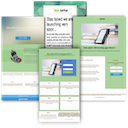
Website Builder by SeedProd — Theme Builder, Landing Page Builder, Coming Soon Page, Maintenance Mode Review - In-Depth Analysis
SeedProd is an easy drag and drop page builder for WordPress. Create custom themes, landing pages, coming soon pages, and maintenance mode pages without coding.
Performance Overview
User Rating
4.9/5 (based on 4699+
reviews)
Active Installations
600,000+
Update Frequency
Very Good
It is calculated using the weighted average of same category
plugins.
Security Score
4.75 / 10
(Low Risk)
It is calculated using the weighted average of all versions.
What It Does
SeedProd is a powerful drag and drop WordPress website builder that allows you to create custom themes and landing pages effortlessly. Originally designed for creating coming soon and maintenance mode pages, it has evolved into a complete website building solution.
With SeedProd, you can design every part of your WordPress site, including headers, footers, and product pages, all without any coding knowledge. The intuitive interface makes it accessible for everyone, ensuring that you can build beautiful and functional websites quickly.
The plugin also offers a wide range of templates and blocks to help you create high-converting landing pages for various purposes. Whether you need a sales page, a thank you page, or a webinar page, SeedProd has you covered.
Additionally, SeedProd provides features for domain mapping, dynamic text, and spam protection, making it a versatile tool for any website owner. You can also integrate with popular email marketing services to manage your subscribers effectively.
Comparing to Alternatives
SeedProd sits in a crowded field of page and site builders, but it carves out a distinct niche around coming soon pages, maintenance mode, and quick landing pages. Compared to general-purpose builders like Elementor or Beaver Builder, SeedProd is more focused and beginner-friendly for these specific use cases, though it competes with dedicated landing page tools too.
Strengths
- Purpose-built templates for coming soon and maintenance mode pages, ready to use out of the box
- Very high overall satisfaction rating from a large user base
- Simple, drag-and-drop editing experience praised for speed and stability
- Effectively isolates the front end during maintenance without extra configuration
Weaknesses
- Many landing page templates and features are locked behind the paid Pro version
- Broader general-purpose builders like Elementor offer more design flexibility for full sites
- Some users report a promotional install experience that feels aggressive compared to leaner alternatives
User Sentiment Analysis
With 4,699 ratings and a 4.9/5 average, sentiment is overwhelmingly positive—96.5% of reviewers give five stars, and only 2.1% land in the 1-2 star range. The tone of recent reviews is largely enthusiastic, especially from users focused on coming soon and maintenance mode use cases, though a vocal minority raises concerns about the free version's limitations and promotional tactics.
Positive highlights
- "For that it is excellent with plenty of pre-made pages to choose from. Best plugin I have tried for this purpose" — neotek9
- "Great for quickly launching pages without extra complexity. Stable performance, flexible templates" — ryanturk
- "Was looking for a fast and clean Coming Soon page, what a breeze!!" — emzservices
- "Perfect for when I am changing the website, or just have it temporarily down for maintenance... Saves a lot of time" — tkrowisz6
- "Perfetto e semplice da configurare" (Perfect and simple to set up) — michelangelotrbi
Common complaints
- Installation prompts to add multiple bundled or partner plugins, some of which auto-activate
- Most landing page templates and core functionality are restricted to the paid Pro version
- Persistent, hard-to-dismiss promotional notifications asking for reviews or upgrades
- Perception that the free version offers little real page-building capability
Weaknesses
- Eight recorded vulnerabilities over time, including stored XSS, SSRF, and authorization issues, though all have been patched
- Free version seen by some as a limited teaser for the paid product
- Bundled plugin prompts and persistent notifications create an intrusive feel for some users
Who Should Use This?
Best for
Site owners who need a fast, reliable way to set up coming soon pages, maintenance mode screens, or simple landing pages will find SeedProd's free templates genuinely useful, as reflected in the strong overall ratings. It suits users who want something that works with minimal setup rather than a full custom site-building experience.
Not ideal for
Users seeking a comprehensive free page builder with extensive design flexibility may be frustrated, since much of the template library sits behind the Pro paywall. Those wary of promotional plugin prompts, persistent notifications, or plugins with a history of patched vulnerabilities—even though fixed promptly—should weigh those factors, and should keep the plugin updated given its vulnerability history.
Pricing & Value
Free version includes
The free version delivers functional coming soon and maintenance mode pages with several pre-built templates, page isolation from public visitors, and a straightforward drag-and-drop editor—solid value for that narrow use case, though landing page options are limited.
Pro version (39.50 - 239.50 USD / year)
The Pro version unlocks the full landing page template library, advanced blocks and design options, theme builder capabilities, integrations with email marketing tools, and additional page types beyond basic maintenance mode screens.
Final Verdict
SeedProd earns its high rating primarily through strong performance in its core niche: coming soon pages and maintenance mode. Reviewers repeatedly praise its simplicity and reliability for these specific tasks, and the plugin clearly delivers there. However, the negative reviews reveal a consistent tension—users expecting a full-featured free landing page builder are often disappointed to find most templates gated behind Pro, and some find the bundled plugin prompts and persistent upgrade notifications intrusive.
The patched vulnerability history is worth noting; while all eight issues were resolved, the frequency suggests users should keep the plugin updated diligently. Compared to alternatives like Elementor or dedicated landing page tools, SeedProd is a strong, focused choice for maintenance and coming soon pages, but those wanting a broader free page-building toolkit may want to compare against less restrictive competitors first.
Other Notable Features
Here are a few other notable features of this free
Website Builder by SeedProd — Theme Builder, Landing Page Builder, Coming Soon Page, Maintenance Mode plugin.
FAQ
With our WordPress Website Builder, you can now create your entire website and WordPress theme with SeedProd in the Pro version.
You can build landing pages, coming soon pages, maintenance mode pages in the free version. In addition, in the Pro version, you can create 404 pages and login pages.
Coming soon pages, maintenance mode pages, and landing pages are standalone pages and are separate from your theme’s design. If you use the SeedProd WordPress Website Builder to build your website then a theme is not needed. SeedProd has its own theme built-in theme which can be customized. You can also use the Gutenberg, Elementor, Divi, Beaver Builder, Visual Composer, Thrive Architect, Brizy, or any other page builder on websites built with SeedProd. More Info »
Yes, you can build an entire WooCommerce Store with our WordPress Website Builder. Note: WooCommerce & eCommerce Integration are only available in the Pro version.
No, SeedProd is an easy-to-use drag and drop page builder which requires no code or coding experience.
You can create a variety of landing pages, including but are not limited to:
* Coming Soon Pages
* Maintenance Mode Pages
* Sales Pages
* Opt-In Pages
* Webinar Pages
* Thank You Pages
* 404 Pages
* Login Pages
* Any type of landing page you can imagine.
Coming Soon Page Mode returns an http status 200 and allows your site to be indexed by Google and other search engines while under construction. You should always use Coming Soon Page mode when your site is under construction.
Maintenance Mode returns an http status code 503 and should be used when doing short-term maintenance on an existing site. This will let search engines know your site is undergoing maintenance and should return in 1 day when maintenance mode is finished.
Only logged in visitors can see the website while your website is under construction. Logged out visitors will see the under construction page or maintenance mode page depending on which mode you have selected.
This is always a WordPress caching issue. Go to the caching plugin’s settings page and clear the cache.
More Info »
Contributors and developers
“Website Builder by SeedProd — Theme Builder, Landing Page Builder, Coming Soon Page, Maintenance Mode”
is open source software. The following people have
contributed to this plugin.