



WPS Hide Login
By Remy Perona
Description
The WPS Hide Login plugin allows you to change the default login URL of your WordPress site to anything you want. This enhances security by making it harder for unauthorized users to access the login page. It does not modify core files or add rewrite rules, ensuring a smooth operation.
When activated, the wp-admin directory and wp-login.php page become inaccessible. Remember to bookmark or note the new login URL. Deactivating the plugin restores the original login functionality.
This plugin is compatible with multisite installations, allowing individual sites to rename their login pages as needed. It works seamlessly with various plugins that interact with the login form, ensuring a reliable user experience.
Other Notable Features
Here are a few other notable features of this free WPS Hide Login plugin.

Screenshots
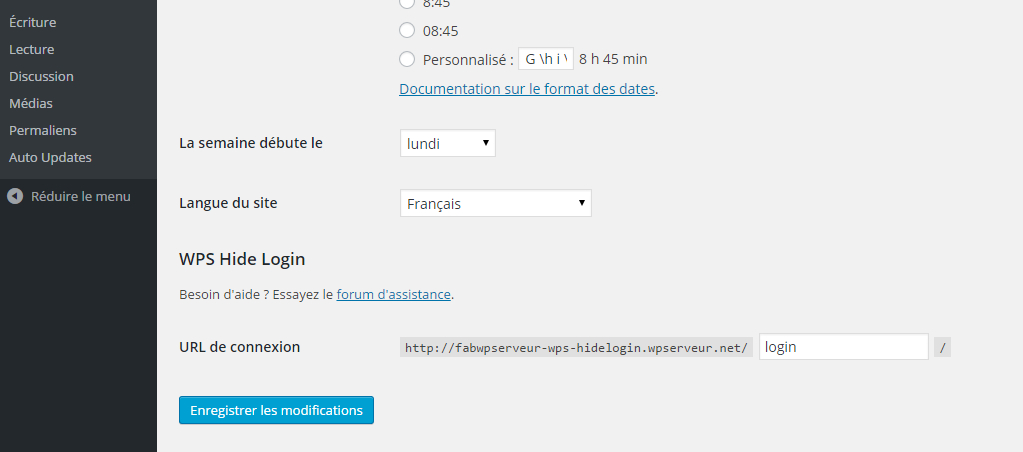

FAQ
Either go to your MySQL database and look for the value of whl_page in the options table, or remove the wps-hide-login folder from your plugins folder, log in through wp-login.php and reinstall the plugin.
On a multisite install the whl_page option will be in the sitemeta table, if there is no such option in the options table.
Contributors and developers
“WPS Hide Login” is open source software. The following people have contributed to this plugin.


 1.9.17.2 –

WPS

7.23
Very Good

Ratings
4.8 out of 5 | 2101
Version
1.9.18
Last updated
2 months ago
Active installations
2,000,000+
WordPress version
6.9.4 or higher
PHP version
7.0 or higher
Languages
37Tags
Custom Login Url,Login,Rename,Wp Login,Wp-login.phpOther plugins you might like

Wordfence Security – Firewall, Malware Scan, and Login Security
By Mark Maunder
WPS
8.04
Very Good
4.8k+reviews

active installation
Tested with
6.9.4
Jetpack – WP Security, Backup, Speed, & Growth
By Automattic
WPS
7.84
Very Good
2.4k+reviews
active installation
Tested with
6.9.4
Really Simple Security – Simple and Performant Security (formerly Really Simple SSL)
By Really Simple Plugins
WPS
8
Very Good
8.8k+reviews
active installation
Tested with
6.9.4
Limit Login Attempts Reloaded – Login Security, Brute Force Protection, Firewall
By WPChef
WPS
7.55
Very Good
1.4k+reviews
active installation
Tested with
6.9.4
Security Optimizer – The All-In-One Protection Plugin
By SiteGround
WPS
7.23
Very Good
153+reviews
active installation
Tested with
6.9.4
All-In-One Security (AIOS) – Security and Firewall
By David Anderson / Team Updraft
WPS
7.05
Very Good
1.7k+reviews
active installation
Tested with
7.0