Variation Swatches for WooCommerce Review - In-Depth Analysis
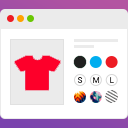
Variation Swatches for WooCommerce enhances product attributes with colorful buttons, images, and labels. It replaces dropdowns for a more engaging shopping experience.
Performance Overview
User Rating
4.7/5 (based on 55+
reviews)
Active Installations
10,000+
Update Frequency
Below Average
It is calculated using the weighted average of same category
plugins.
Security Score
1 / 10
(Very Low Risk)
It is calculated using the weighted average of all versions.
What It Does
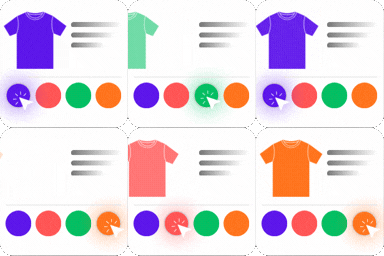
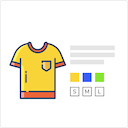
The Variation Swatches for WooCommerce plugin transforms product variation select fields into visually appealing radio buttons, images, colors, and labels. This plugin eliminates the need for dropdown fields, providing a more user-friendly experience that can help increase sales.
Designed to be fully responsive and mobile-friendly, this plugin ensures that customers enjoy a seamless shopping experience. It integrates smoothly with WooCommerce variable products and is compatible with various themes and plugins.
With features like customizable swatch shapes, tooltip options, and support for quick view, the Variation Swatches plugin allows for a highly personalized shopping experience. Users can easily switch between color, image, button, and radio attributes, enhancing product visibility and selection.
Comparing to Alternatives
Variation Swatches for WooCommerce stands out among similar plugins by offering a balance of customization and ease of use, making product variation selection more visual and user-friendly.
Strengths
- Highly customizable swatch options for better product display
- Responsive and mobile-friendly design
- Good customer support with quick issue resolution
- Supports various swatch types including color, image, and label
Weaknesses
- Occasional small delay in loading images on product pages
- Some advanced features require the pro version
- May have a learning curve for beginners
User Sentiment Analysis
Users generally praise the plugin for its functionality and support, though some note minor performance issues.
Positive highlights
- 'Great plugin!' – robertue
- 'Ajax variation threshold suggestion saved the day' – magefix
- 'Very useful and helpful' – sayed2026
- 'Blazing fast and excellent support' – lonken
- 'Highly customizable, works well for mobile orders' – takichanman
Common complaints
- Small delay in loading product images
- Some features locked behind pro version
Weaknesses
- Minor performance lag on single product pages
- Limited free version features compared to pro
Who Should Use This?
Best for
Store owners who want to enhance their WooCommerce product pages with visually appealing and customizable variation swatches, improving user experience and conversion rates.
Not ideal for
Users seeking a completely free solution with all features included or those who prefer minimal setup without customization.
Pricing & Value
Free version includes
The free version offers essential swatch types and basic customization options suitable for most standard WooCommerce stores.
Pro version
The premium version unlocks advanced features such as additional swatch styles, enhanced customization, priority support, and performance optimizations.
Final Verdict
Variation Swatches for WooCommerce is a robust plugin that effectively enhances product variation presentation, backed by responsive support and useful features.
While the free version is functional, upgrading to the pro version is recommended for stores needing advanced customization and optimal performance.
Other Notable Features
Here are a few other notable features of this free
Variation Swatches for WooCommerce plugin.
FAQ
- Go to
WooCommerce > settings > Product Swatches
Even this plugin has been installed and activated on your site, variable products will still show dropdowns if you have not configured product attributes.
- Log in to your WordPress dashboard, navigate to the Products menu and click Attributes.
- Click to attribute name to edit an exists attribute or in the Add New Attribute form you will see the default Type selector.
- Click to that Type selector to change attribute’s type. Besides default options Select and Text, there are more 3 options Color, Image, Button/Label to choose.
- Select the suitable type for your attribute and click Save Change/Add attribute
- Go back to manage attributes screen. Click the cog icon on the right side of attribute to start editing terms.
- Start adding new terms or editing exists terms. There is will be a new option at the end of form that let you choose the color, upload image or choose as a button for those terms.
Yes, it is compatible with Most popular WooCommerce themes , but need some css update.
Yes, it supports any kinds of product quick view.
Contributors and developers
“Variation Swatches for WooCommerce”
is open source software. The following people have
contributed to this plugin.