



Advanced Order Export For WooCommerce
By algol.plus
Description
This plugin helps you to easily export WooCommerce order data.
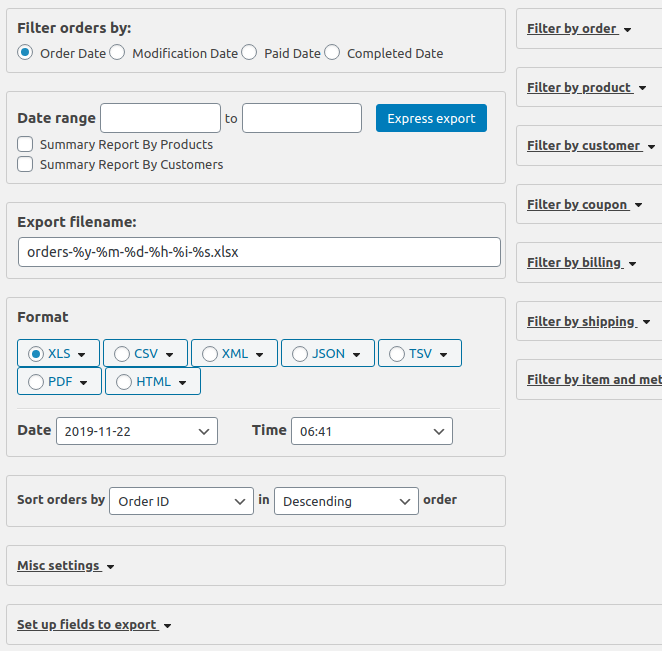
Export any custom field assigned to orders/products/coupons is easy and you can select from various formats to export the data in such as Excel, CSV, XML, JSON, PDF and HTML.
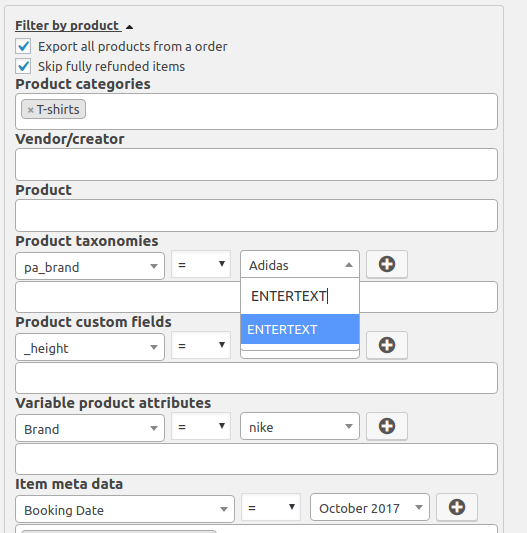
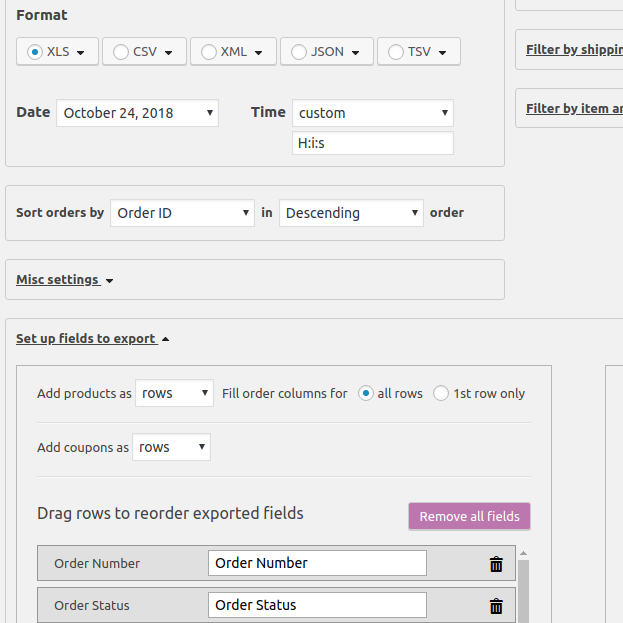
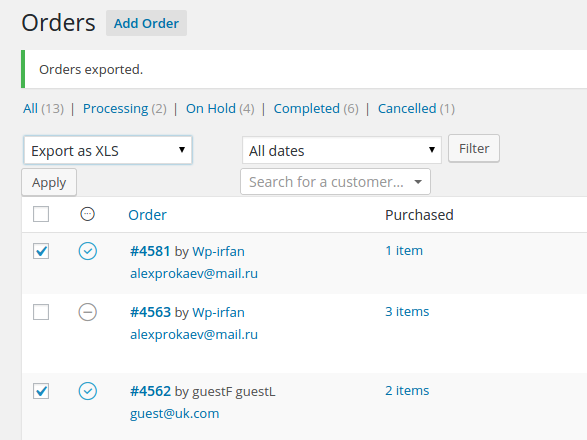
Features include selecting fields to export, renaming labels, reordering columns, exporting custom fields or terms for products/orders, grouping data by products or customers, and exporting orders via bulk action from the orders list.
Export includes order data, summary order details, customer details, product attributes, coupon details, and order item metadata.
Use this plugin to export orders for sending order data to third-party drop shippers, updating your accounting system, or analyzing your order data.
For those looking for advanced features, the Pro version offers options like exporting a single order immediately after a status change, scheduling exports, and sending exported orders to multiple locations.
Other Notable Features
Here are a few other notable features of this free Advanced Order Export For WooCommerce plugin.

Screenshots
FAQ
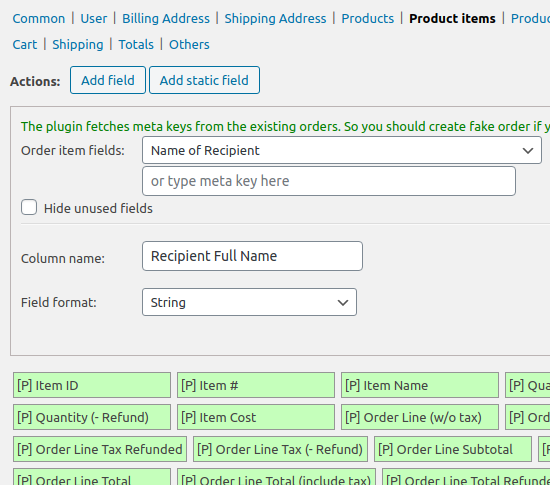
Check screenshot #5! You should open section “Set up fields”, open section “Product order items”(right column), click button “Add field”, select field in 1st dropdown, type column title and press button “Confirm”.
Contributors and developers
“Advanced Order Export For WooCommerce” is open source software. The following people have contributed to this plugin.


 4.0.6 – December 3, 2025

WPS

6.73
Average

Ratings
5 out of 5 | 347
Version
4.0.6
Last updated
1 week ago
Active installations
100,000+
WordPress version
6.9.4 or higher
PHP version
7.4.0 or higher
Languages
8Tags
Export,Export Orders,Order,Order Export,WoocommerceOther plugins you might like

WooCommerce
By Automattic
WPS
7.92
Very Good
4.8k+reviews

active installation
Tested with
6.9.4
Akismet Anti-spam: Spam Protection
By Automattic
WPS
7.56
Very Good
1.2k+reviews
active installation
Tested with
6.9.4
Hostinger Reach – AI-Powered Email Marketing for WordPress
By Hostinger
WPS
6.93
Average
3+reviews
active installation
Tested with
6.9.4
Smash Balloon Social Photo Feed – Easy Social Feeds Plugin
By Syed Balkhi
WPS
7.15
Very Good
4.3k+reviews
active installation
Tested with
6.9.4
MC4WP: Mailchimp for WordPress
By Danny van Kooten
WPS
8.17
Very Good
1.5k+reviews
active installation
Tested with
6.9.4
Widgets for Google Reviews
By Trustindex
WPS
7.33
Very Good
2.5k+reviews
active installation
Tested with
6.9.4