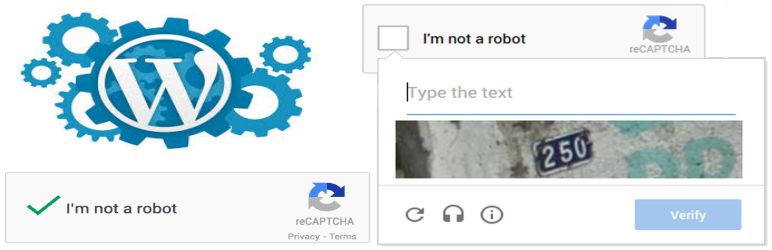
CF7 Invisible reCAPTCHA Review - In-Depth Analysis
CF7 Invisible reCAPTCHA secures your Contact Form 7 forms from spam while allowing genuine users to pass easily. It uses Google's invisible reCAPTCHA technology for effective spam protection.
Performance Overview
User Rating
3.1/5 (based on 14+
reviews)
Active Installations
7,000+
Update Frequency
Below Average
It is calculated using the weighted average of same category
plugins.
Security Score
1 / 10
(Very Low Risk)
It is calculated using the weighted average of all versions.
What It Does
CF7 Invisible reCAPTCHA plugin is an effective solution that secures your Contact form 7 forms on WordPress websites from spam entries while letting human pass over easily.
Just a single click they will confirm they are not a robot.
Activated only in cases where Google suspects that the visitor is not a human.
This plugin utilizes the popular anti-spam library, Google invisible reCAPTCHA, to help your blog stay clear of spams.
All it takes is 2 easy steps to make your website stand out from the rest of your competitors.
It is easy to use.
Read the How to use section to find out more about the CF7 Invisible reCAPTCHA configurations.
Comparing to Alternatives
CF7 Invisible reCAPTCHA is a straightforward plugin designed to integrate Google's invisible reCAPTCHA with Contact Form 7. When compared to similar plugins, it offers simplicity but lacks some advanced features.
Strengths
- Easy one-click integration with Contact Form 7.
- Allows exclusion of certain forms from protection.
- Lightweight and simple to use without complex settings.
Weaknesses
- Overwrites standard Contact Form 7 validation, causing compatibility issues.
- Has conflicts leading to form submission problems like spinning wheel hang-ups.
- Lacks advanced customization options found in other plugins.
- No active support or updates noted, leading to unresolved issues.
User Sentiment Analysis
User feedback highlights both ease of use and significant functional issues with the plugin.
Positive highlights
- "Simple plugin, one click to protect all the forms at once." - msaied93
- "Good plugin if need to install Recaptcha for a contact form with the custom position." - d1mf
Common complaints
- Plugin does not work with the latest Contact Form 7 versions.
- Conflicts cause forms to get stuck on submission (spinning wheel).
- Plugin overwrites standard validation causing issues.
- Lack of support response for reported issues.
Weaknesses
- Compatibility problems with Contact Form 7 updates.
- Unresponsive plugin support.
- Functional bugs causing form submission failures.
Who Should Use This?
Best for
Users seeking a simple and quick way to add invisible reCAPTCHA protection to Contact Form 7 forms without needing advanced features.
Not ideal for
Those requiring reliable compatibility with the latest Contact Form 7 versions or needing responsive support and advanced customization options.
Pricing & Value
Free version includes
The free version provides basic integration of invisible reCAPTCHA with Contact Form 7, allowing easy activation and form exclusion options.
Final Verdict
CF7 Invisible reCAPTCHA offers a simple solution for adding invisible reCAPTCHA to Contact Form 7 forms, suitable for users with basic needs.
However, compatibility issues, lack of support, and functional bugs limit its reliability, making it less ideal for users needing robust and up-to-date protection.
Other Notable Features
Here are a few other notable features of this free
CF7 Invisible reCAPTCHA plugin.
FAQ
Yes, we have provided exclude functionality to remove invisible reCAPTCHA in particular form.
Yes, we have provided functionality to Enable/Disable Invisible reCAPTCHA Protection for all Contact Form.
If the plugin does not work on the website, contact our Support Team via following email address: wp.support@vsourz.com.
If you think, that you found a bug in our CF7 Invisible reCAPTCHA plugin or have any question contact us at wp.support@vsourz.com. Our support team will solve within 24 hours.
Contributors and developers
“CF7 Invisible reCAPTCHA”
is open source software. The following people have
contributed to this plugin.