Loading...
banner plugin Image
woo-image

QODE Quick View for WooCommerce

By Qode

Description

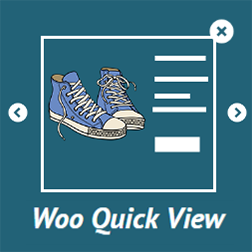
QODE Quick View for WooCommerce helps you boost conversions and sales by providing visitors with handy pop-up product previews on product list pages.

This plugin turns your product listing pages into eye-catching, full-blown single product presentations. It offers a user-friendly way to display compact forms dedicated to showcasing your single products in great detail. Quick View forms are triggered with a single click right from the product list, without ever leaving the page.

Thanks to its full mobile optimization, the QODE Quick View can be accessed via any mobile device without any compromise in terms of visuals and features. This expands the reach of this practical eCommerce element once reserved only for desktop users.

The Premium version of the QODE Quick View for WooCommerce plugin provides additional features such as multiple Quick View form appearance styles, customizable button labels, and adjustable close icons. You can also include additional product information like category, rating, price, and social share icons.

Check out our step-by-step user guide on how to install and use QODE Quick View for WooCommerce. You can also submit a topic to the support forum for assistance.

Other Notable Features

Here are a few other notable features of this free QODE Quick View for WooCommerce plugin.

check-fill
Product Popup
check-fill
Product Quick View
check-fill
Quick View
check-fill
Quickview
check-fill
WooCommerce LightBox

Screenshots

FAQ

There are two ways you can install QODE Quick View for WooCommerce plugin.

You can install the plugin from your WordPress dashboard:
1. Navigate to your WordPress Dashboard -> Plugins -> Add New
2. Search for QODE Quick View for WooCommerce plugin
3. Install and Activate QODE Quick View for WooCommerce from your Plugins page.

Or you can install it directly from WordPress.org
1. Locate and download QODE Quick View for WooCommerce on wordpress.org
2. Upload the qode-quick-view-for-woocommerce directory to your ‘/wp-content/plugins/’ directory using your preferred method (ftp, sftp, scp, etc…)
3. Install and Activate QODE Quick View for WooCommerce plugin from your Plugins page.

Contributors and developers

“QODE Quick View for WooCommerce” is open source software. The following people have contributed to this plugin.

WPS
Exclamation-Image

6.74

Average

Star-Image

Ratings

5 out of 5 | 1
History-Image

Version

1.1.2
calendar-Image

Last updated

3 months ago
Star-Image

Active installations

10,000+
Star-Image

WordPress version

6.9.4 or higher
php-Image

PHP version

7.4 or higher
translate-Image

Languages

0

Tags

Product Popup,Product Quick View,Quick View,Quickview,WooCommerce LightBox